选择器
简介
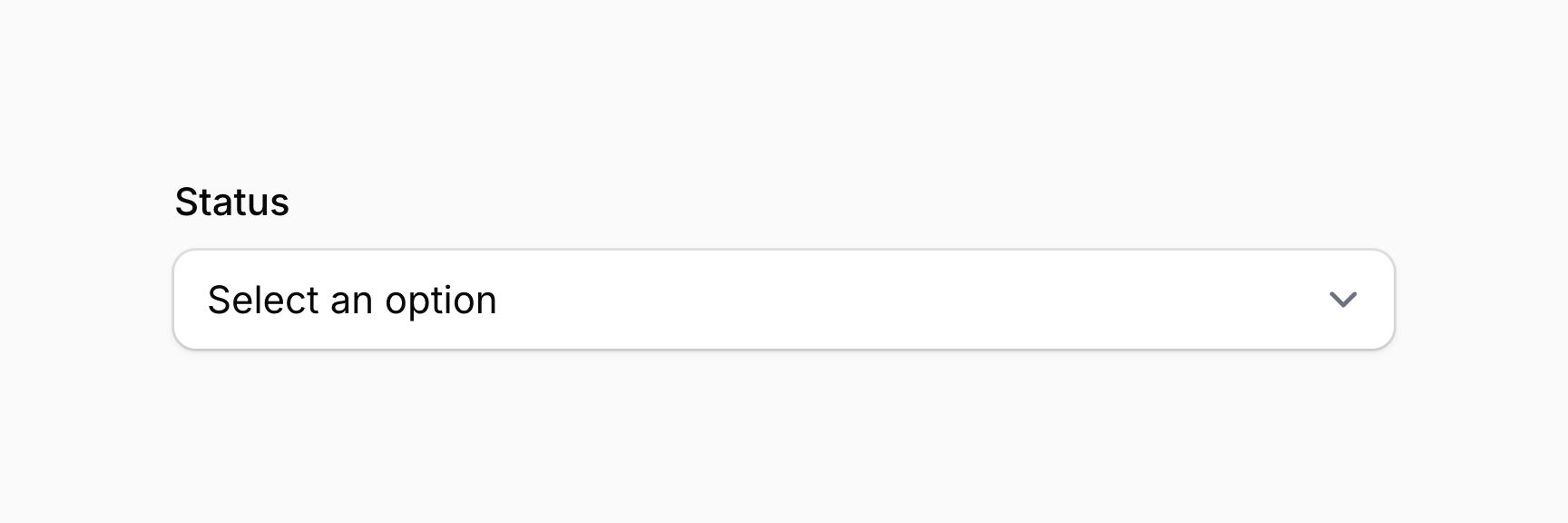
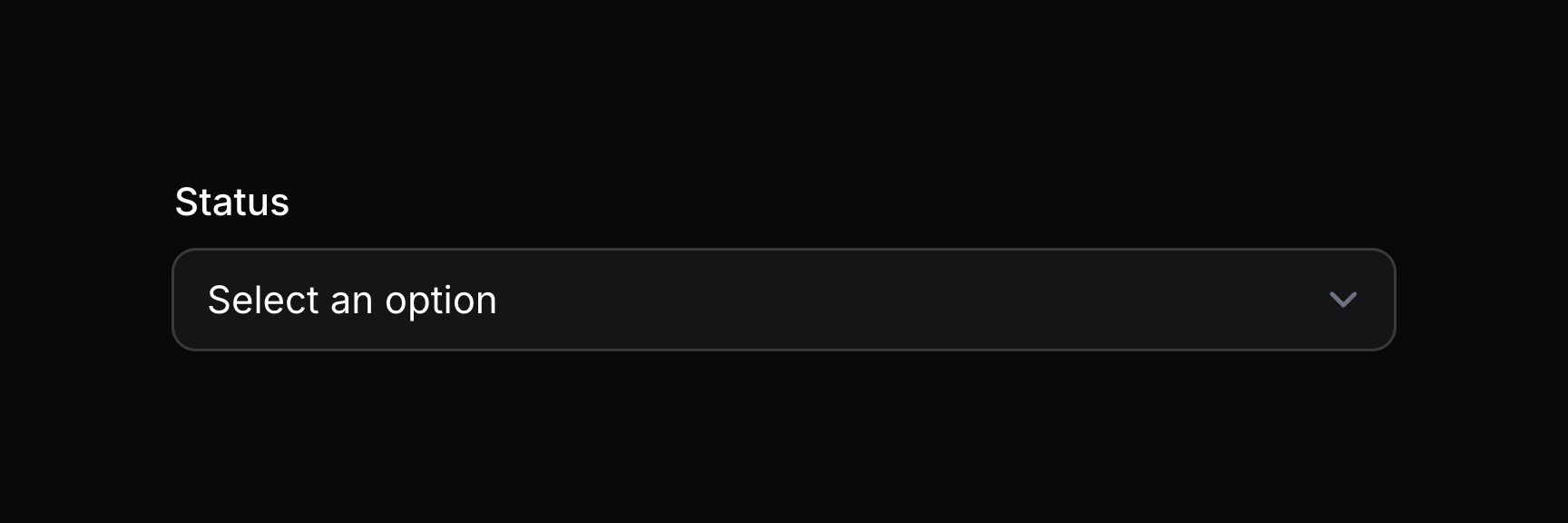
选择器组件可让你从预定义选项列表中选择:
use Filament\Forms\Components\Select;

Select::make('status')
    ->options([
        'draft' => 'Draft',
        'reviewing' => 'Reviewing',
        'published' => 'Published',
    ])
TIP
除了允许静态数组外,options() 方法也接受函数以动态计算。你可以将各种工具作为参数注入到该函数中。
启用 JavaScript 选择器
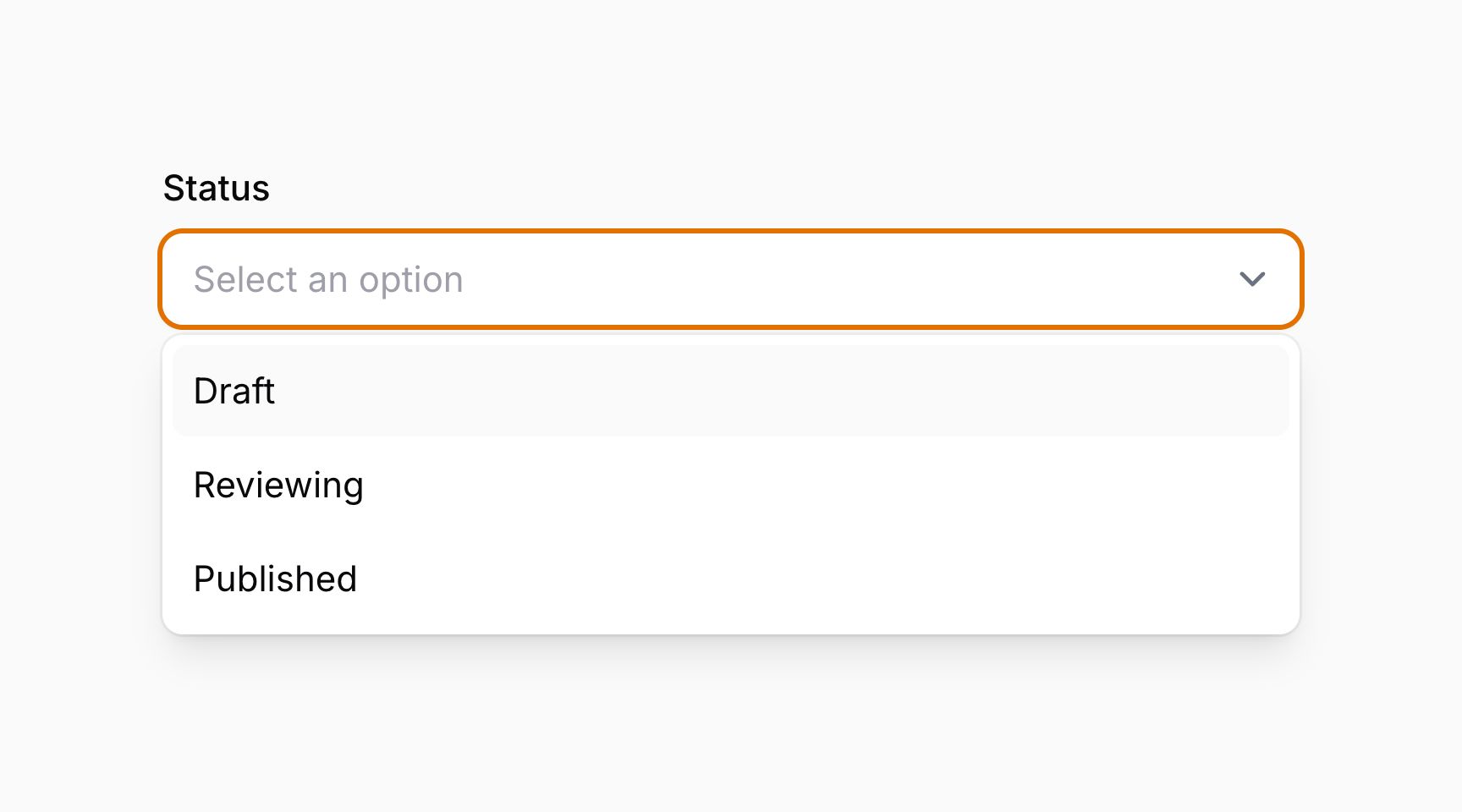
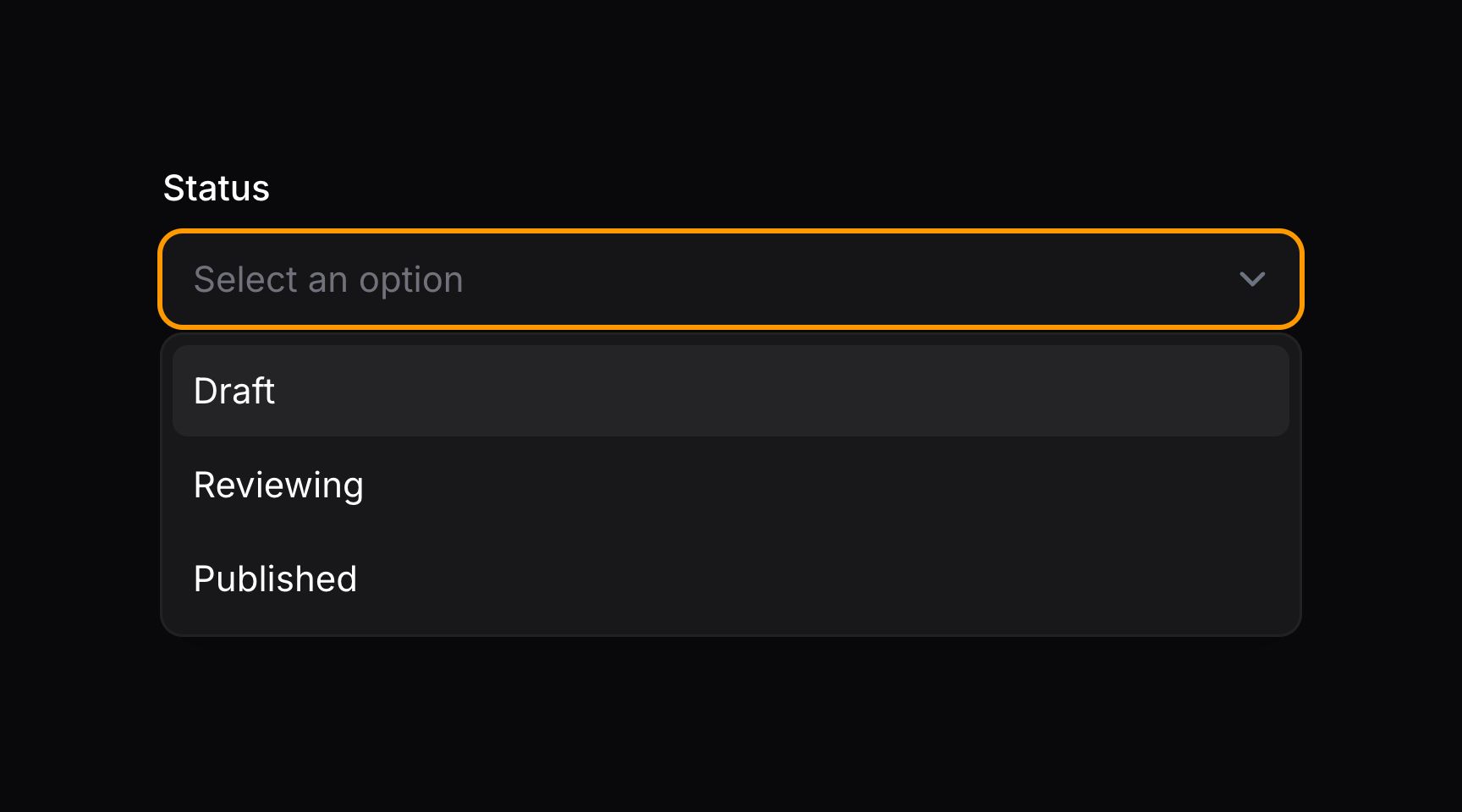
默认情况下,Filament 使用原生 HTML5 select。你可以使用 native(false) 方法启用更可定制的 JavaScript 选择器:
use Filament\Forms\Components\Select;

Select::make('status')
    ->options([
        'draft' => 'Draft',
        'reviewing' => 'Reviewing',
        'published' => 'Published',
    ])
    ->native(false)
TIP
除了允许静态值外,native() 方法也接受函数以动态计算。你可以将各种工具作为参数注入到该函数中。
搜索选项
你可以使用 searchable() 方法启用搜索输入,以便在选项较多时更方便查找:
use Filament\Forms\Components\Select;

Select::make('author_id')
    ->label('Author')
    ->options(User::query()->pluck('name', 'id'))
    ->searchable()
可选地,你可以传入布尔值来控制输入是否可搜索:
use Filament\Forms\Components\Select;

Select::make('author_id')
    ->label('Author')
    ->options(User::query()->pluck('name', 'id'))
    ->searchable(FeatureFlag::active())
TIP
除了允许静态值外,searchable() 方法也接受函数以动态计算。你可以将各种工具作为参数注入到该函数中。
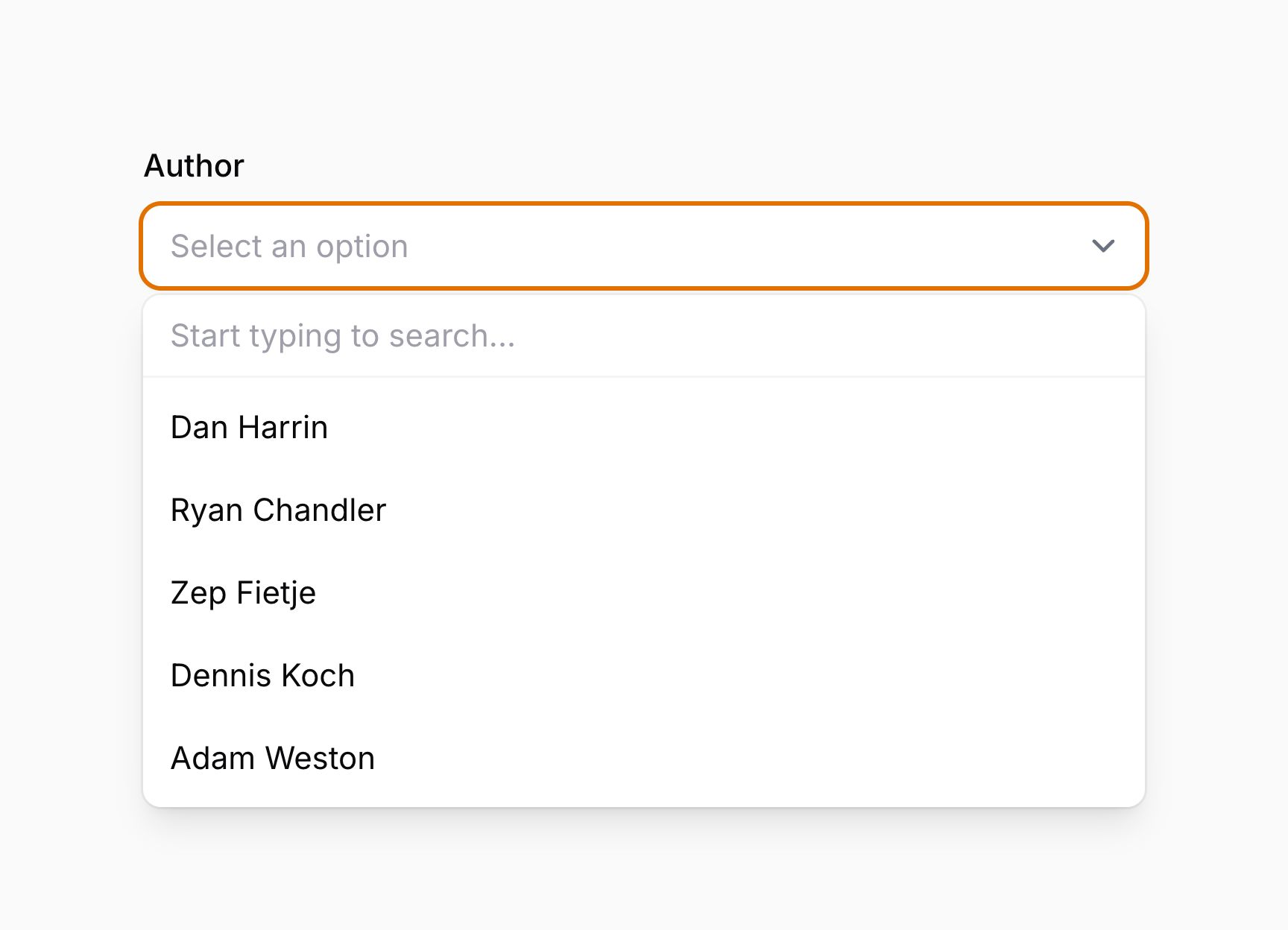
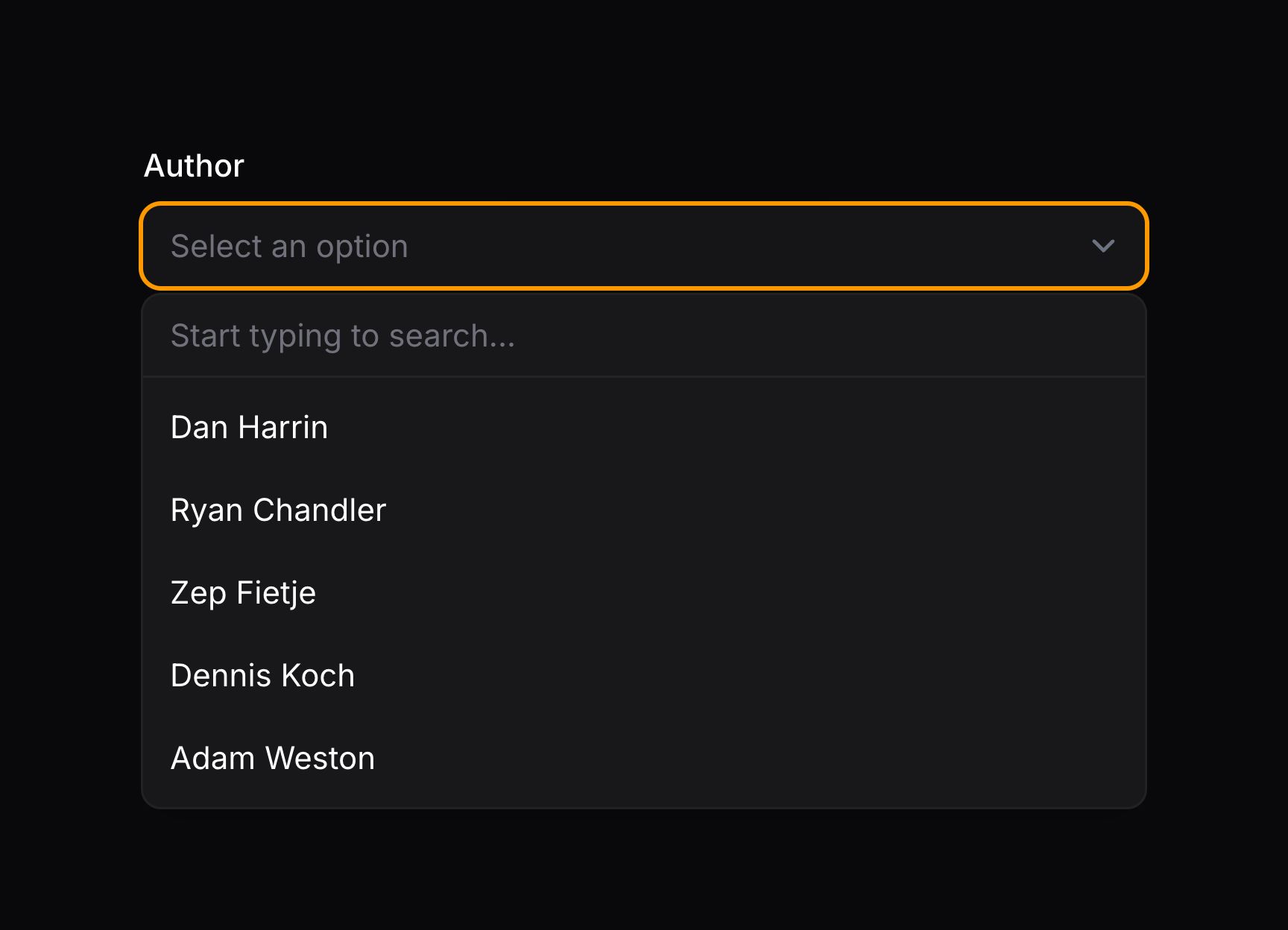
返回自定义搜索结果
如果选项很多,并希望基于数据库搜索或其他外部数据源填充,可以使用 getSearchResultsUsing() 和 getOptionLabelUsing() 方法,而不是 options()。
getSearchResultsUsing() 方法接受一个回调,以 $key => $value 格式返回搜索结果。当前用户的搜索词可通过 $search 获取,你应使用它来过滤结果。
getOptionLabelUsing() 方法接受一个回调,将所选选项的 $value 转换为标签。这在表单首次加载且用户尚未搜索时使用;否则将无法获取用于显示当前所选选项的标签。
若要提供自定义搜索结果,选择器上必须同时使用 getSearchResultsUsing() 和 getOptionLabelUsing():
use Filament\Forms\Components\Select;

Select::make('author_id')
    ->searchable()
    ->getSearchResultsUsing(fn (string $search): array => User::query()
        ->where('name', 'like', "%{$search}%")
        ->limit(50)
        ->pluck('name', 'id')
        ->all())
    ->getOptionLabelUsing(fn ($value): ?string => User::find($value)?->name),
getOptionLabelUsing() 至关重要,因为它向 Filament 提供所选选项的标签,从而无需执行完整搜索即可找到。若选项无效,应返回 null。
TIP
你可以将各种工具作为参数注入到这些函数中。
设置自定义加载消息
使用可搜索的选择器或多选时,你可能希望在选项加载期间显示自定义消息。可使用 loadingMessage() 方法:
use Filament\Forms\Components\Select;

Select::make('author_id')
    ->relationship(name: 'author', titleAttribute: 'name')
    ->searchable()
    ->loadingMessage('Loading authors...')
TIP
除了允许静态值外,loadingMessage() 方法也接受函数以动态计算。你可以将各种工具作为参数注入到该函数中。
设置自定义无搜索结果消息
使用可搜索的选择器或多选时,你可能希望在找不到搜索结果时显示自定义消息。可使用 noSearchResultsMessage() 方法:
use Filament\Forms\Components\Select;

Select::make('author_id')
    ->relationship(name: 'author', titleAttribute: 'name')
    ->searchable()
    ->noSearchResultsMessage('No authors found.')
TIP
除了允许静态值外,noSearchResultsMessage() 方法也接受函数以动态计算。你可以将各种工具作为参数注入到该函数中。
设置自定义无选项消息
当选择器或多选使用 preload(),或通过 options() 闭包提供动态选项时,你可能希望在没有可用选项时显示自定义消息。可使用 noOptionsMessage() 方法:
use Filament\Forms\Components\Select;

Select::make('author_id')
    ->relationship(name: 'author', titleAttribute: 'name')
    ->searchable()
    ->preload()
    ->noOptionsMessage('No authors available.')
TIP
除了允许静态值外,noOptionsMessage() 方法也接受函数以动态计算。你可以将各种工具作为参数注入到该函数中。
设置自定义搜索提示
使用可搜索的选择器或多选时,你可能希望在用户尚未输入搜索词时显示自定义消息。可使用 searchPrompt() 方法:
use Filament\Forms\Components\Select;

Select::make('author_id')
    ->relationship(name: 'author', titleAttribute: 'name')
    ->searchable(['name', 'email'])
    ->searchPrompt('Search authors by their name or email address')
TIP
除了允许静态值外,searchPrompt() 方法也接受函数以动态计算。你可以将各种工具作为参数注入到该函数中。
设置自定义搜索中消息
使用可搜索的选择器或多选时,你可能希望在搜索结果加载期间显示自定义消息。可使用 searchingMessage() 方法:
use Filament\Forms\Components\Select;

Select::make('author_id')
    ->relationship(name: 'author', titleAttribute: 'name')
    ->searchable()
    ->searchingMessage('Searching authors...')
TIP
除了允许静态值外,searchingMessage() 方法也接受函数以动态计算。你可以将各种工具作为参数注入到该函数中。
调整搜索防抖
默认情况下,当用户在可搜索的选择器或多选中输入时,Filament 会等待 1000 毫秒(1 秒)再搜索选项。若用户持续在搜索框中输入,两次搜索之间也会等待 1000 毫秒。你可以使用 searchDebounce() 方法更改此设置:
use Filament\Forms\Components\Select;

Select::make('author_id')
    ->relationship(name: 'author', titleAttribute: 'name')
    ->searchable()
    ->searchDebounce(500)
请确保不要把防抖时间降得过低,否则可能因向服务器获取选项的网络请求过多,导致选择器变慢且无响应。
TIP
除了允许静态值外,searchDebounce() 方法也接受函数以动态计算。你可以将各种工具作为参数注入到该函数中。
多选
Select 组件上的 multiple() 方法可让你从选项列表中选择多个值:
use Filament\Forms\Components\Select;

Select::make('technologies')
    ->multiple()
    ->options([
        'tailwind' => 'Tailwind CSS',
        'alpine' => 'Alpine.js',
        'laravel' => 'Laravel',
        'livewire' => 'Laravel Livewire',
    ])
可选地,你可以传入布尔值来控制输入是否为多选:
use Filament\Forms\Components\Select;

Select::make('technologies')
    ->multiple(FeatureFlag::active())
    ->options([
        'tailwind' => 'Tailwind CSS',
        'alpine' => 'Alpine.js',
        'laravel' => 'Laravel',
        'livewire' => 'Laravel Livewire',
    ])
TIP
除了允许静态值外,multiple() 方法也接受函数以动态计算。你可以将各种工具作为参数注入到该函数中。
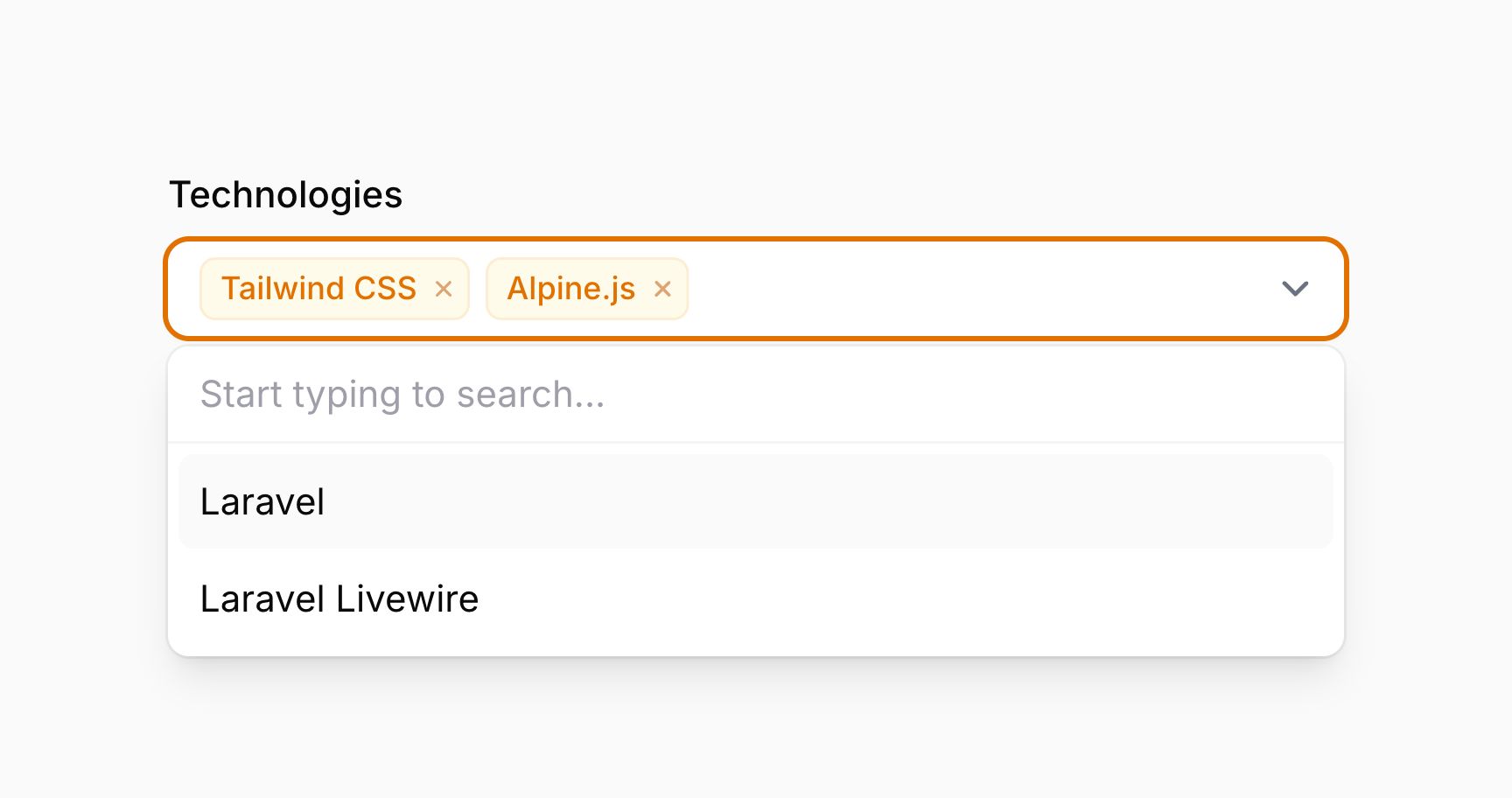
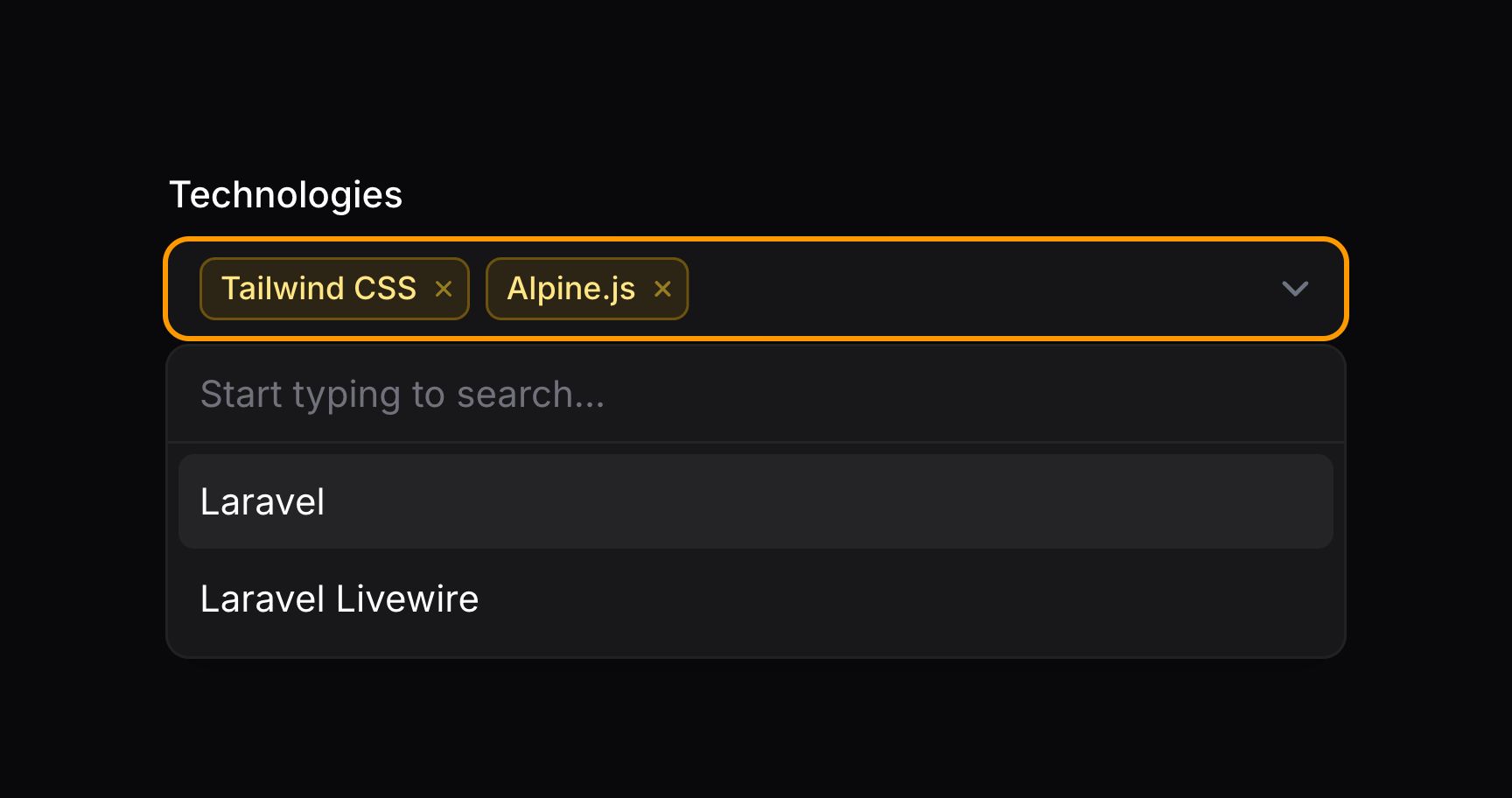
这些选项以 JSON 格式返回。若使用 Eloquent 保存,请务必在模型属性上添加 array 转换(cast):
use Illuminate\Database\Eloquent\Model;

class App extends Model
{
    /**
     * @return array<string, string>
     */
    protected function casts(): array
    {
        return [
            'technologies' => 'array',
        ];
    }

    // ...
}若你在返回自定义搜索结果,应定义 getOptionLabelsUsing() 而不是 getOptionLabelUsing()。回调会收到 $values 而不是 $value,你应返回标签及其对应值的 $key => $value 数组:
Select::make('technologies')
    ->multiple()
    ->searchable()
    ->getSearchResultsUsing(fn (string $search): array => Technology::query()
        ->where('name', 'like', "%{$search}%")
        ->limit(50)
        ->pluck('name', 'id')
        ->all())
    ->getOptionLabelsUsing(fn (array $values): array => Technology::query()
        ->whereIn('id', $values)
        ->pluck('name', 'id')
        ->all()),
getOptionLabelsUsing() 至关重要,因为它向 Filament 提供已选选项的标签,从而无需执行完整搜索即可找到它们。它还用于验证用户所选选项是否有效。若选项无效,不应出现在 getOptionLabelsUsing() 返回的数组中。
TIP
getOptionLabelsUsing() 方法可以将各种工具作为参数注入到该函数中。
重新排序已选选项
reorderable() 方法可让你在多选中重新排序已选选项:
use Filament\Forms\Components\Select;

Select::make('technologies')
    ->multiple()
    ->reorderable()
    ->options([
        'tailwind' => 'Tailwind CSS',
        'alpine' => 'Alpine.js',
        'laravel' => 'Laravel',
        'livewire' => 'Laravel Livewire',
    ])
当所选选项的顺序很重要时,这很有用。
TIP
除了允许静态值外,reorderable() 方法也接受函数以动态计算。你可以将各种工具作为参数注入到该函数中。
分组选项
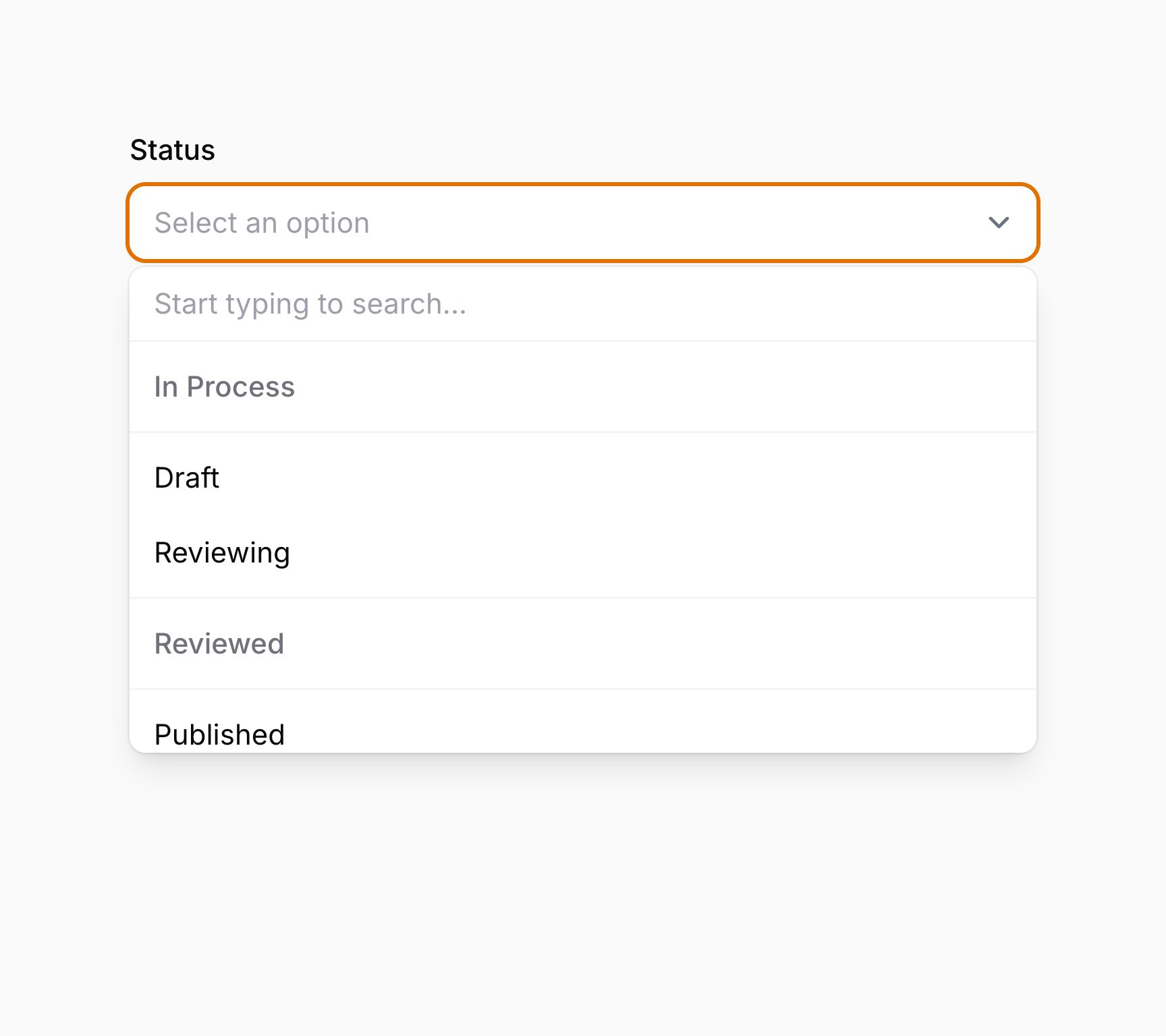
你可以将选项归入标签下以便更好地组织。为此,可以向 options()(或你通常传入选项数组的位置)传入分组数组。数组的键用作分组标签,值为该组中的选项数组:
use Filament\Forms\Components\Select;

Select::make('status')
    ->searchable()
    ->options([
        'In Process' => [
            'draft' => 'Draft',
            'reviewing' => 'Reviewing',
        ],
        'Reviewed' => [
            'published' => 'Published',
            'rejected' => 'Rejected',
        ],
    ])
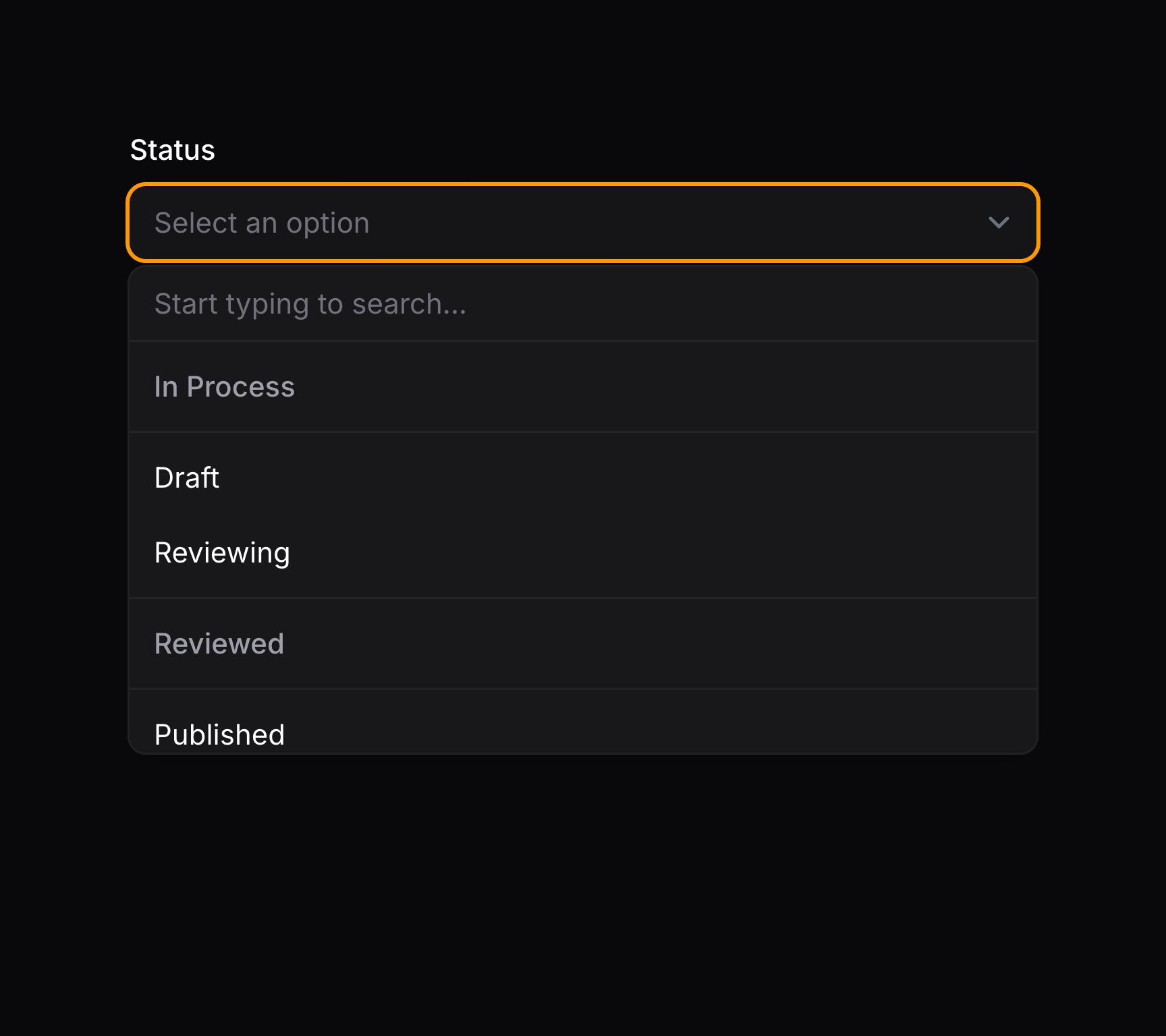
与 Eloquent 关系集成
你可以使用 Select 的 relationship() 方法配置 BelongsTo 关系以自动获取选项。titleAttribute 是用于为每个选项生成标签的列名:
use Filament\Forms\Components\Select;

Select::make('author_id')
    ->relationship(name: 'author', titleAttribute: 'name')
multiple() 方法可与 relationship() 结合使用,以使用 BelongsToMany 关系。Filament 会从关系加载选项,并在表单提交时将它们保存回关系的中间表。若未提供 name,Filament 将使用字段名作为关系名:
use Filament\Forms\Components\Select;

Select::make('technologies')
    ->multiple()
    ->relationship(titleAttribute: 'name')
WARNING
当同时使用 disabled()、multiple() 和 relationship() 时,请确保在 relationship() 之前调用 disabled()。这样可确保 disabled() 中的 saved() 调用不会在 relationship() 配置之后应用:
use Filament\Forms\Components\Select;

Select::make('technologies')
    ->multiple()
    ->disabled()
    ->relationship(titleAttribute: 'name')
跨多列搜索关系选项
默认情况下,若选择器也可搜索,Filament 会基于关系的标题列返回关系搜索结果。若希望跨多列搜索,可以向 searchable() 方法传入列名数组:
use Filament\Forms\Components\Select;

Select::make('author_id')
    ->relationship(name: 'author', titleAttribute: 'name')
    ->searchable(['name', 'email'])
预加载关系选项
若希望在页面加载时(而非用户搜索时)从数据库填充可搜索选项,可以使用 preload() 方法:
use Filament\Forms\Components\Select;

Select::make('author_id')
    ->relationship(name: 'author', titleAttribute: 'name')
    ->searchable()
    ->preload()
可选地,你可以传入布尔值来控制输入是否预加载:
use Filament\Forms\Components\Select;

Select::make('author_id')
    ->relationship(name: 'author', titleAttribute: 'name')
    ->searchable()
    ->preload(FeatureFlag::active())
TIP
除了允许静态值外,preload() 方法也接受函数以动态计算。你可以将各种工具作为参数注入到该函数中。
排除当前记录
处理递归关系时,你通常希望从结果集中移除当前记录。
这可通过 ignoreRecord 参数轻松完成:
use Filament\Forms\Components\Select;

Select::make('parent_id')
    ->relationship(name: 'parent', titleAttribute: 'name', ignoreRecord: true)
自定义关系查询
你可以使用 relationship() 方法的第三个参数自定义检索选项的数据库查询:
use Filament\Forms\Components\Select;
use Illuminate\Database\Eloquent\Builder;

Select::make('author_id')
    ->relationship(
        name: 'author',
        titleAttribute: 'name',
        modifyQueryUsing: fn (Builder $query) => $query->withTrashed(),
    )
TIP
modifyQueryUsing 参数可以将各种工具作为参数注入到该函数中。
自定义关系选项标签
若希望自定义每个选项的标签(例如更描述性,或拼接名与姓),可以在数据库迁移中使用虚拟列:
$table->string('full_name')->virtualAs('concat(first_name, \' \', last_name)');use Filament\Forms\Components\Select;
Select::make('author_id')
->relationship(name: 'author', titleAttribute: 'full_name')或者,你可以使用 getOptionLabelFromRecordUsing() 方法将选项的 Eloquent 模型转换为标签:
use Filament\Forms\Components\Select;
use Illuminate\Database\Eloquent\Builder;
use Illuminate\Database\Eloquent\Model;

Select::make('author_id')
    ->relationship(
        name: 'author',
        modifyQueryUsing: fn (Builder $query) => $query->orderBy('first_name')->orderBy('last_name'),
    )
    ->getOptionLabelFromRecordUsing(fn (Model $record) => "{$record->first_name} {$record->last_name}")
    ->searchable(['first_name', 'last_name'])
TIP
getOptionLabelFromRecordUsing() 方法可以将各种工具作为参数注入到该函数中。
向关系保存中间表数据
若使用 multiple() 关系且中间表有额外列,可以使用 pivotData() 方法指定应保存到这些列中的数据:
use Filament\Forms\Components\Select;

Select::make('primaryTechnologies')
    ->relationship(name: 'technologies', titleAttribute: 'name')
    ->multiple()
    ->pivotData([
        'is_primary' => true,
    ])
TIP
除了允许静态值外,pivotData() 方法也接受函数以动态计算。你可以将各种工具作为参数注入到该函数中。
在模态框中创建新选项
你可以定义自定义表单,用于创建新记录并将其附加到 BelongsTo 关系:
use Filament\Forms\Components\Select;

Select::make('author_id')
    ->relationship(name: 'author', titleAttribute: 'name')
    ->createOptionForm([
        Forms\Components\TextInput::make('name')
            ->required(),
        Forms\Components\TextInput::make('email')
            ->required()
            ->email(),
    ]),
TIP
除了允许静态值外,createOptionForm() 方法也接受函数以动态计算。你可以将各种工具作为参数注入到该函数中。
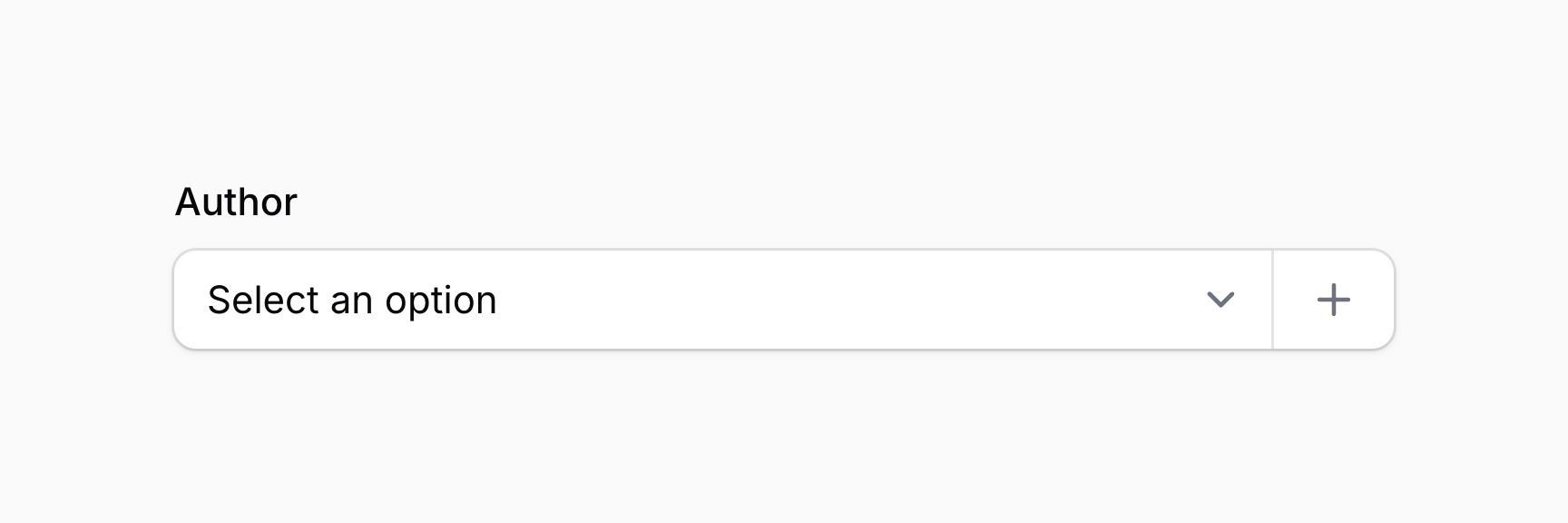
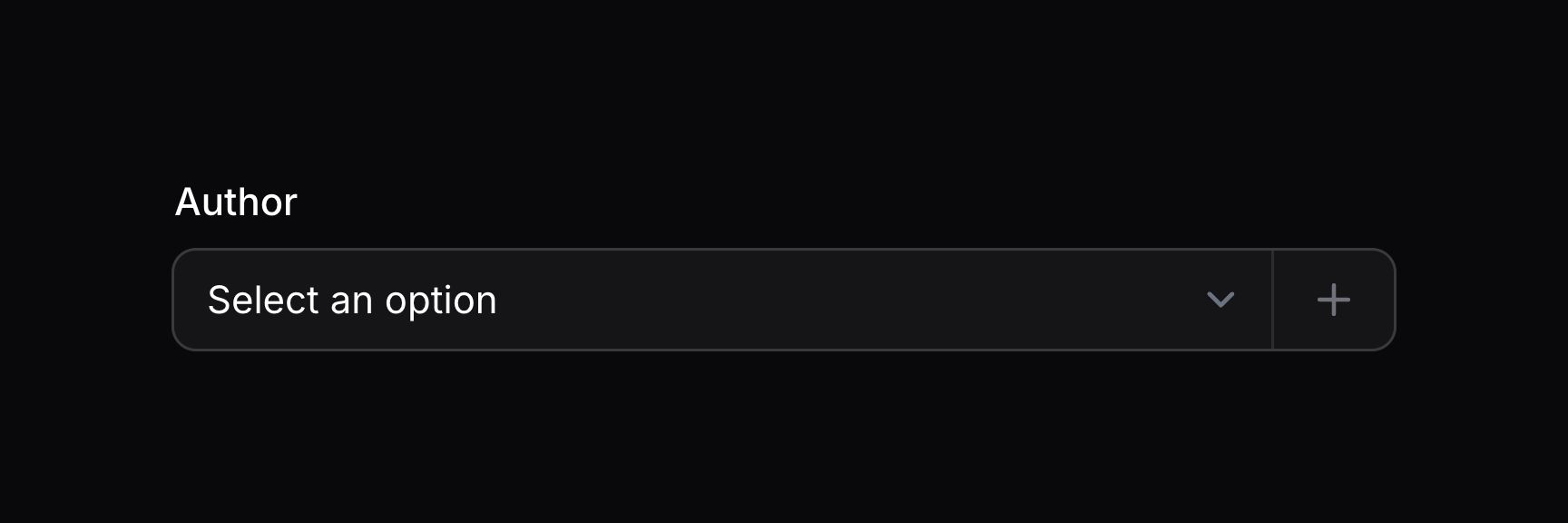
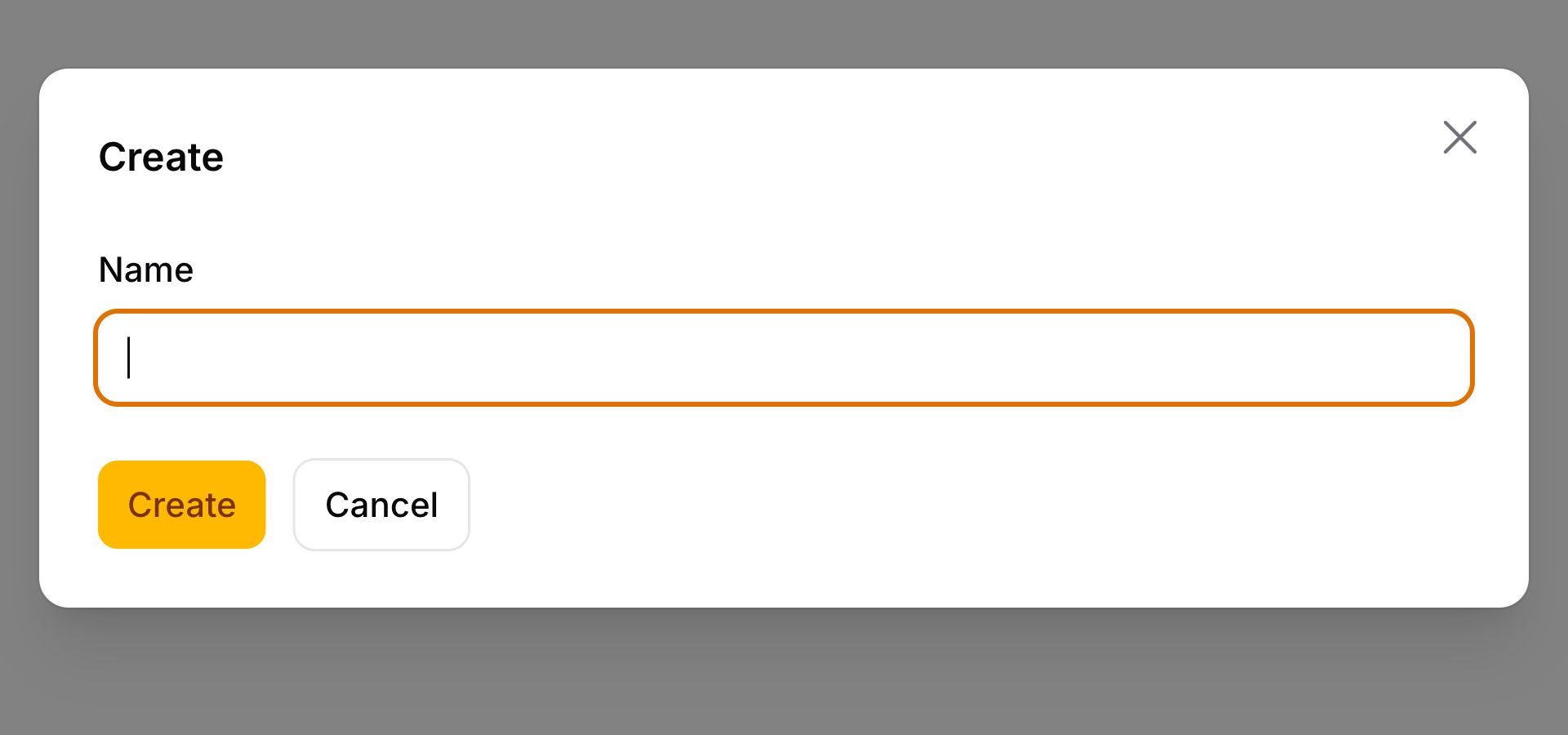
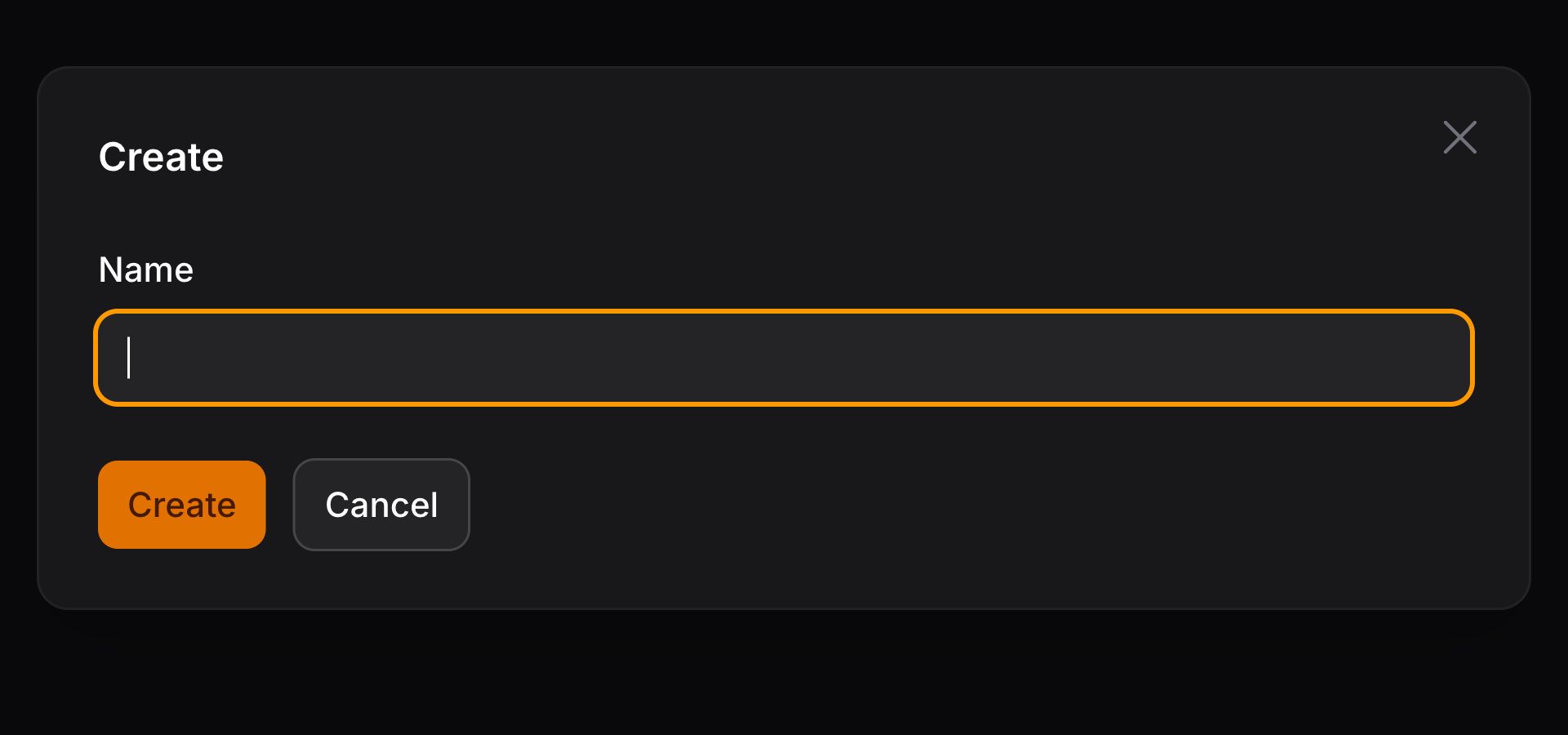
表单会在模态框中打开,用户可填写数据。提交表单后,字段会选中新记录。
自定义新选项创建
你可以使用 createOptionUsing() 方法自定义表单中定义的新选项的创建过程,该方法应返回新创建记录的主键:
use Filament\Forms\Components\Select;

Select::make('author_id')
    ->relationship(name: 'author', titleAttribute: 'name')
    ->createOptionForm([
       // ...
    ])
    ->createOptionUsing(function (array $data): int {
        return auth()->user()->team->members()->create($data)->getKey();
    }),
TIP
createOptionUsing() 方法可以将各种工具作为参数注入到该函数中。
在模态框中编辑所选选项
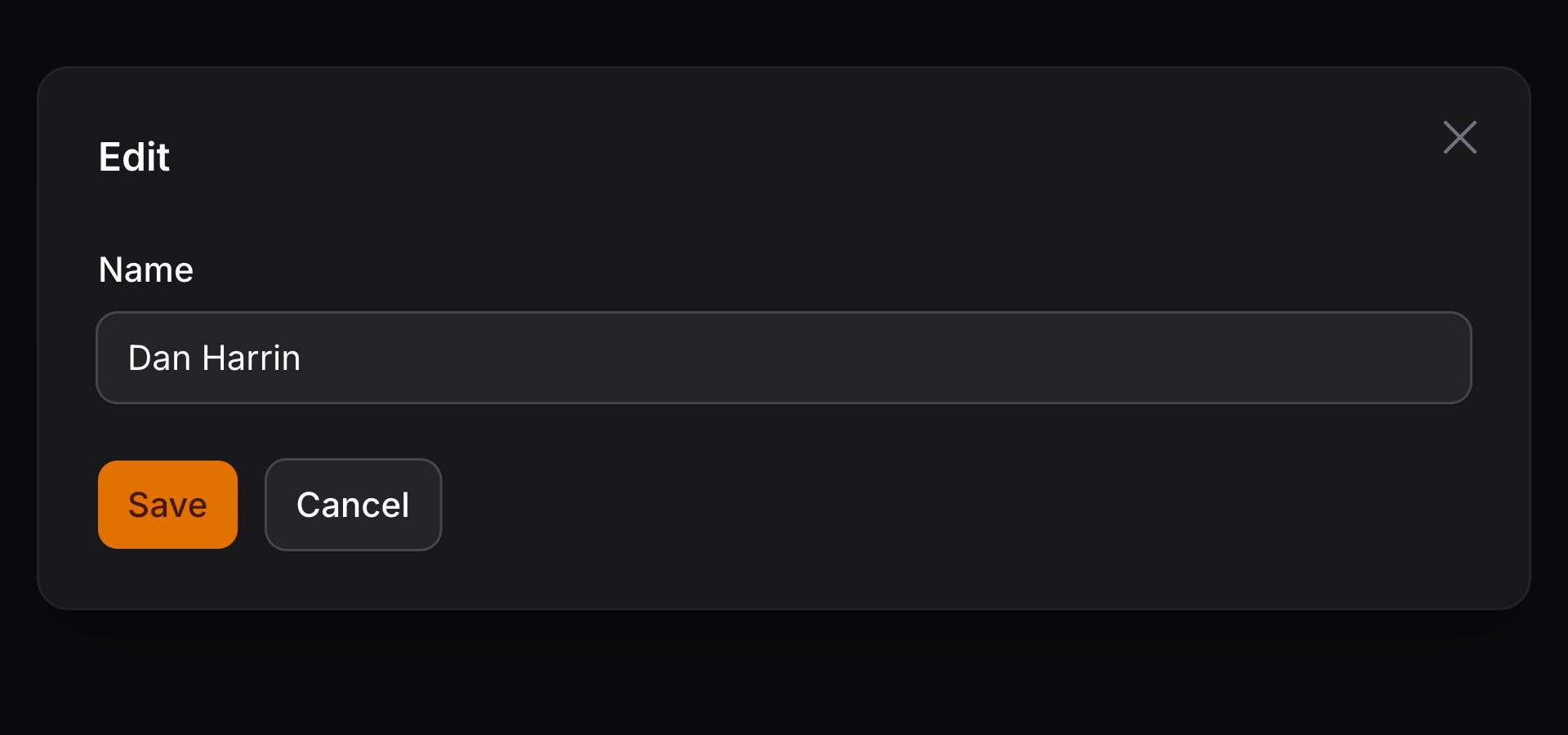
你可以定义自定义表单,用于编辑所选记录并将其保存回 BelongsTo 关系:
use Filament\Forms\Components\Select;

Select::make('author_id')
    ->relationship(name: 'author', titleAttribute: 'name')
    ->editOptionForm([
        Forms\Components\TextInput::make('name')
            ->required(),
        Forms\Components\TextInput::make('email')
            ->required()
            ->email(),
    ]),
TIP
除了允许静态值外,editOptionForm() 方法也接受函数以动态计算。你可以将各种工具作为参数注入到该函数中。
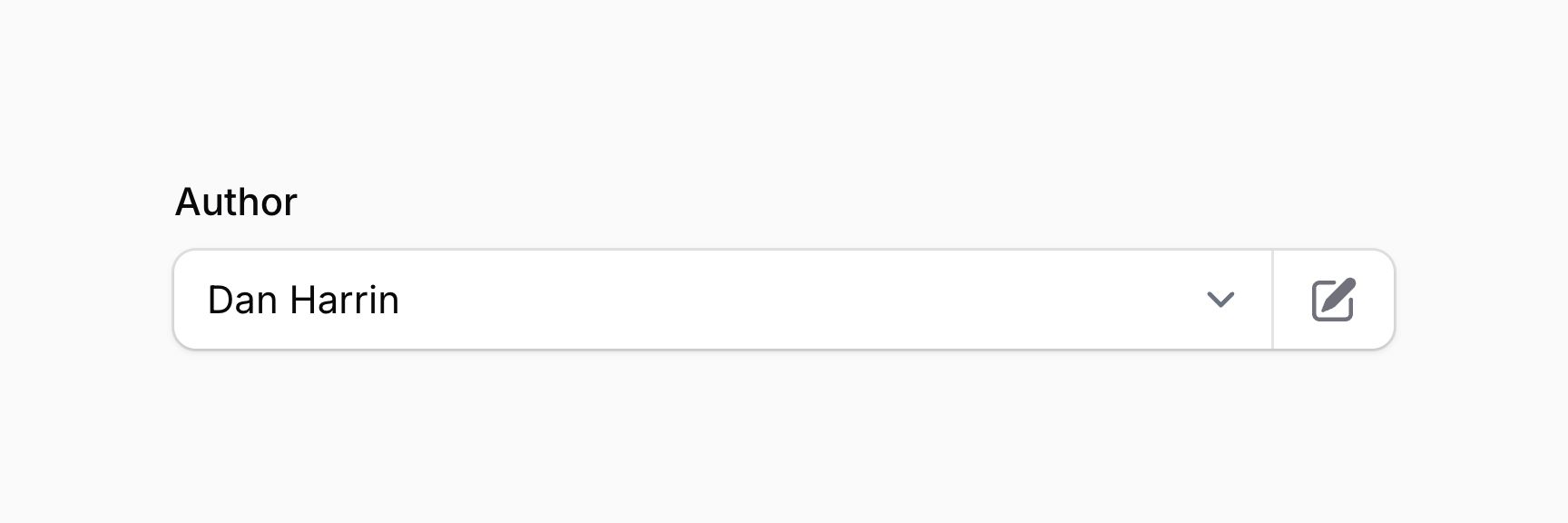

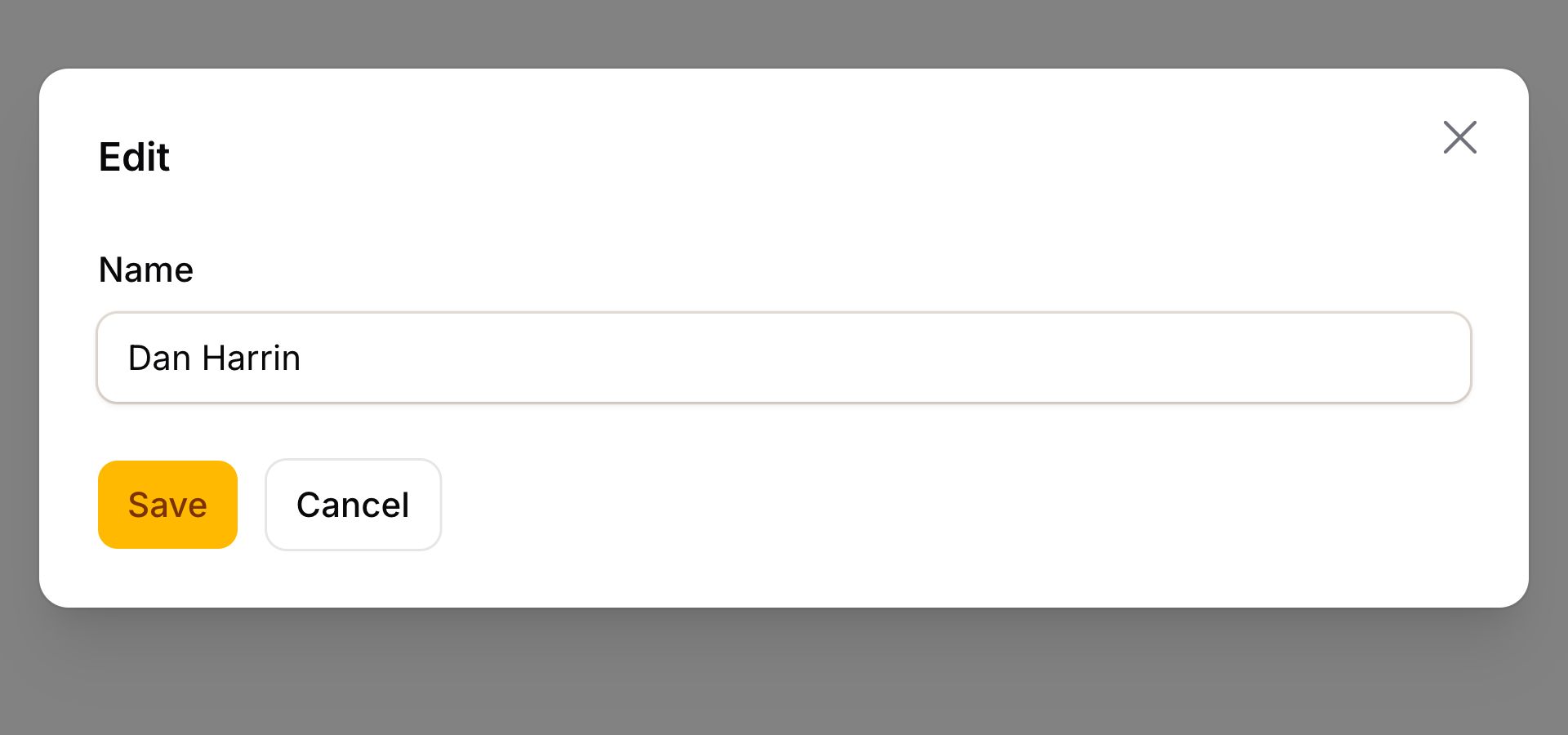
表单会在模态框中打开,用户可填写数据。提交表单后,表单数据会保存回该记录。
自定义选项更新
你可以使用 updateOptionUsing() 方法自定义表单中定义的所选选项的更新过程。正在编辑的当前 Eloquent 记录可通过 schema 上的 getRecord() 方法获取:
use Filament\Forms\Components\Select;
use Filament\Schemas\Schema;

Select::make('author_id')
    ->relationship(name: 'author', titleAttribute: 'name')
    ->editOptionForm([
       // ...
    ])
    ->updateOptionUsing(function (array $data, Schema $schema) {
        $schema->getRecord()?->update($data);
    }),
TIP
updateOptionUsing() 方法可以将各种工具作为参数注入到该函数中。
处理 MorphTo 关系
MorphTo 关系比较特殊,因为用户可以从多种不同模型中选择记录。因此我们提供了专用的 MorphToSelect 组件——它实际上不是单个选择字段,而是 fieldset 内的两个选择字段。第一个选择字段用于选择类型,第二个用于选择该类型的记录。
要使用 MorphToSelect,必须向组件传入 types(),以告知如何为不同类型渲染选项:
use Filament\Forms\Components\MorphToSelect;

MorphToSelect::make('commentable')
    ->types([
        MorphToSelect\Type::make(Product::class)
            ->titleAttribute('name'),
        MorphToSelect\Type::make(Post::class)
            ->titleAttribute('title'),
    ])
TIP
types() 方法可以将各种工具作为参数注入到该函数中。
自定义每种多态类型的选项标签
titleAttribute() 用于从每个 product 或 post 中提取标题。若希望自定义每个选项的标签,可以使用 getOptionLabelFromRecordUsing() 方法将 Eloquent 模型转换为标签:
use Filament\Forms\Components\MorphToSelect;

MorphToSelect::make('commentable')
    ->types([
        MorphToSelect\Type::make(Product::class)
            ->getOptionLabelFromRecordUsing(fn (Product $record): string => "{$record->name} - {$record->slug}"),
        MorphToSelect\Type::make(Post::class)
            ->titleAttribute('title'),
    ])
自定义每种多态类型的关系查询
你可以使用 modifyOptionsQueryUsing() 方法自定义检索选项的数据库查询:
use Filament\Forms\Components\MorphToSelect;
use Illuminate\Database\Eloquent\Builder;

MorphToSelect::make('commentable')
    ->types([
        MorphToSelect\Type::make(Product::class)
            ->titleAttribute('name')
            ->modifyOptionsQueryUsing(fn (Builder $query) => $query->whereBelongsTo($this->team)),
        MorphToSelect\Type::make(Post::class)
            ->titleAttribute('title')
            ->modifyOptionsQueryUsing(fn (Builder $query) => $query->whereBelongsTo($this->team)),
    ])
TIP
modifyOptionsQueryUsing() 方法可以将各种工具作为参数注入到该函数中。
TIP
选择字段中的许多相同选项也适用于 MorphToSelect,包括 searchable()、preload()、native()、allowHtml() 和 optionsLimit()。
自定义多态选择字段
你可以使用 modifyKeySelectUsing() 方法进一步自定义特定多态类型的「key」选择字段:
use Filament\Forms\Components\MorphToSelect;
use Filament\Forms\Components\Select;
use Filament\Forms\Components\TextInput;

MorphToSelect::make('commentable')
    ->types([
        MorphToSelect\Type::make(Product::class)
            ->titleAttribute('name')
            ->modifyKeySelectUsing(fn (Select $select): Select => $select
                ->createOptionForm([
                    TextInput::make('title')
                        ->required(),
                ])
                ->createOptionUsing(function (array $data): int {
                    return Product::create($data)->getKey();
                })),
        MorphToSelect\Type::make(Post::class)
            ->titleAttribute('title'),
    ])
若要为每种多态类型单独自定义「key」选择字段,这很有用。若要为所有类型自定义 key 选择器,可以在 MorphToSelect 组件本身上使用 modifyKeySelectUsing() 方法:
use Filament\Forms\Components\MorphToSelect;
use Filament\Forms\Components\Select;

MorphToSelect::make('commentable')
    ->types([
        MorphToSelect\Type::make(Product::class)
            ->titleAttribute('name'),
        MorphToSelect\Type::make(Post::class)
            ->titleAttribute('title'),
    ])
    ->modifyKeySelectUsing(fn (Select $select): Select => $select->native())
你也可以使用 modifyTypeSelectUsing() 方法修改「type」选择字段:
use Filament\Forms\Components\MorphToSelect;
use Filament\Forms\Components\Select;

MorphToSelect::make('commentable')
    ->types([
        MorphToSelect\Type::make(Product::class)
            ->titleAttribute('name'),
        MorphToSelect\Type::make(Post::class)
            ->titleAttribute('title'),
    ])
    ->modifyTypeSelectUsing(fn (Select $select): Select => $select->native())
使用切换按钮作为类型选择器
默认情况下,类型选择器是一个选择字段。你可以使用 typeSelectToggleButtons() 方法将其切换为内联切换按钮:
use Filament\Forms\Components\MorphToSelect;

MorphToSelect::make('commentable')
    ->typeSelectToggleButtons()
    ->types([
        MorphToSelect\Type::make(Product::class)
            ->titleAttribute('name'),
        MorphToSelect\Type::make(Post::class)
            ->titleAttribute('title'),
    ])
使用切换按钮时,你可以使用 modifyTypeSelectUsing() 方法自定义它们:
use Filament\Forms\Components\MorphToSelect;
use Filament\Forms\Components\ToggleButtons;

MorphToSelect::make('commentable')
    ->typeSelectToggleButtons()
    ->types([
        MorphToSelect\Type::make(Product::class)
            ->titleAttribute('name'),
        MorphToSelect\Type::make(Post::class)
            ->titleAttribute('title'),
    ])
    ->modifyTypeSelectUsing(fn (ToggleButtons $toggleButtons): ToggleButtons => $toggleButtons->grouped())
允许选项标签中的 HTML
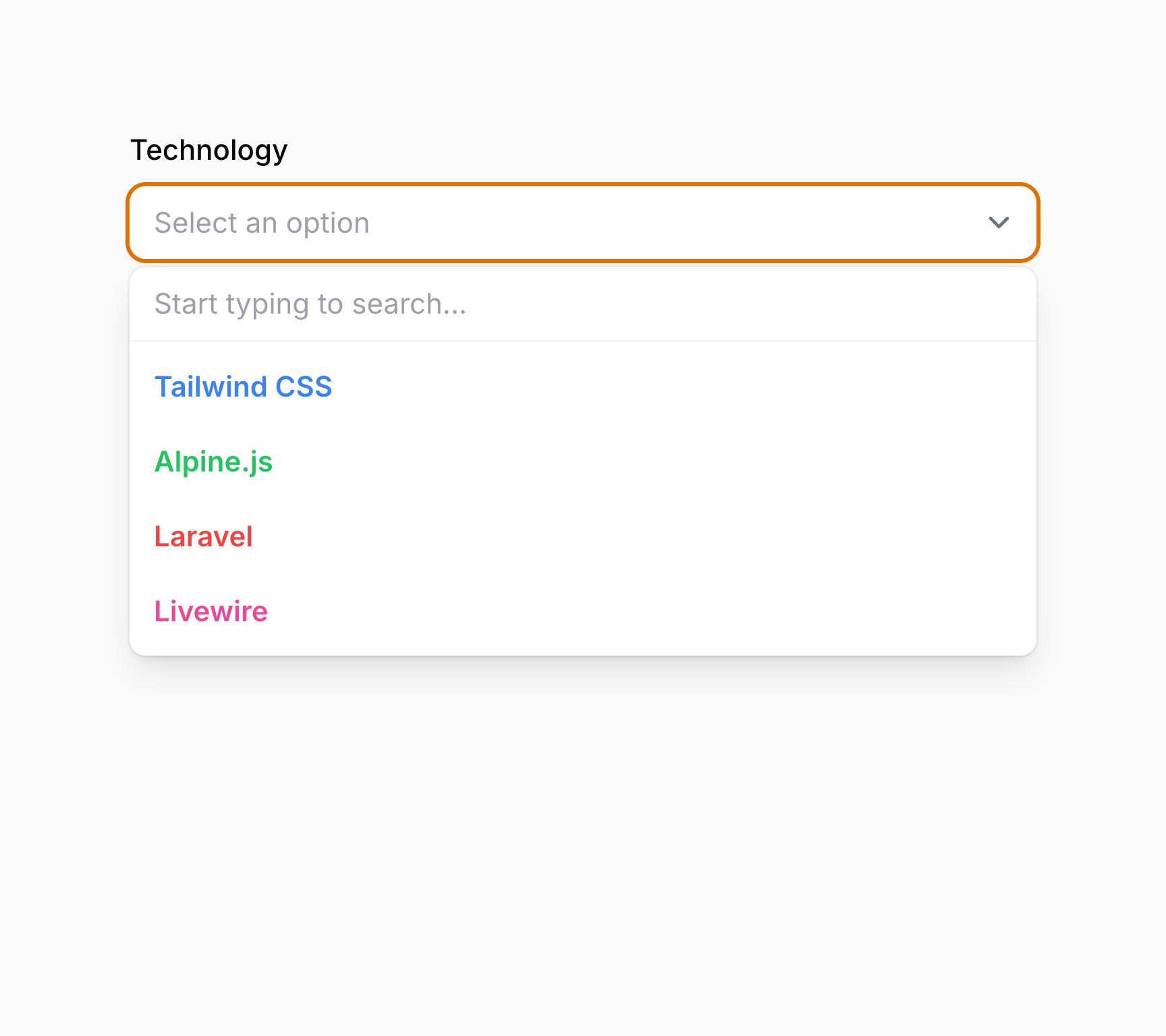
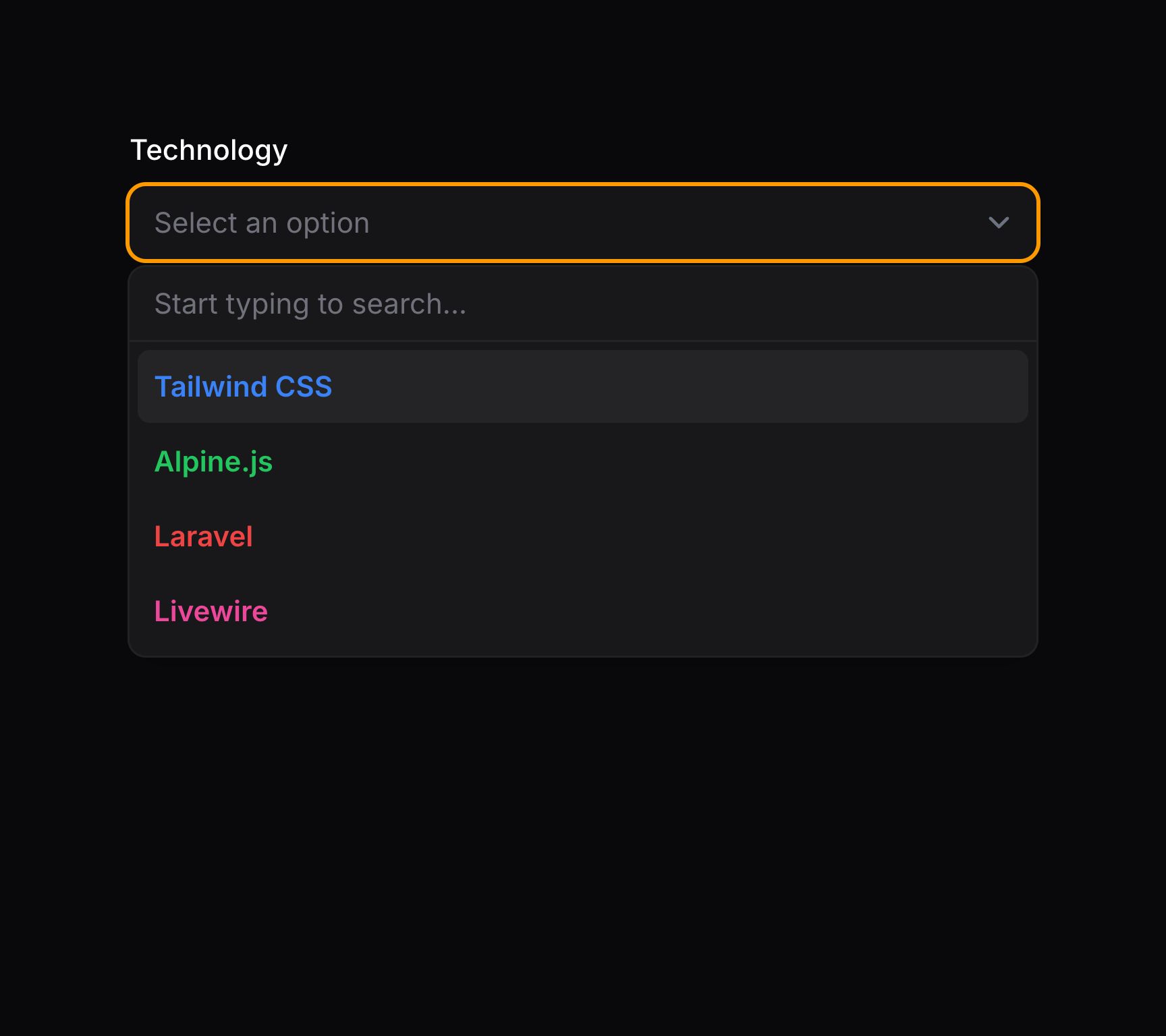
默认情况下,Filament 会转义选项标签中的任何 HTML。若希望允许 HTML,可以使用 allowHtml() 方法:
use Filament\Forms\Components\Select;

Select::make('technology')
    ->options([
        'tailwind' => '<span class="text-blue-500">Tailwind</span>',
        'alpine' => '<span class="text-green-500">Alpine</span>',
        'laravel' => '<span class="text-red-500">Laravel</span>',
        'livewire' => '<span class="text-pink-500">Livewire</span>',
    ])
    ->searchable()
    ->allowHtml()
DANGER
请注意,你需要确保 HTML 可安全渲染,否则应用将面临 XSS 攻击风险。
可选地,你可以传入布尔值来控制输入是否允许 HTML:
use Filament\Forms\Components\Select;

Select::make('technology')
    ->options([
        'tailwind' => '<span class="text-blue-500">Tailwind</span>',
        'alpine' => '<span class="text-green-500">Alpine</span>',
        'laravel' => '<span class="text-red-500">Laravel</span>',
        'livewire' => '<span class="text-pink-500">Livewire</span>',
    ])
    ->searchable()
    ->allowHtml(FeatureFlag::active())
TIP
除了允许静态值外,allowHtml() 方法也接受函数以动态计算。你可以将各种工具作为参数注入到该函数中。
换行或截断选项标签
使用 JavaScript 选择器时,超出选择器元素宽度的标签默认会换行到多行。或者,你可以选择截断溢出的标签。
use Filament\Forms\Components\Select;

Select::make('truncate')
    ->wrapOptionLabels(false)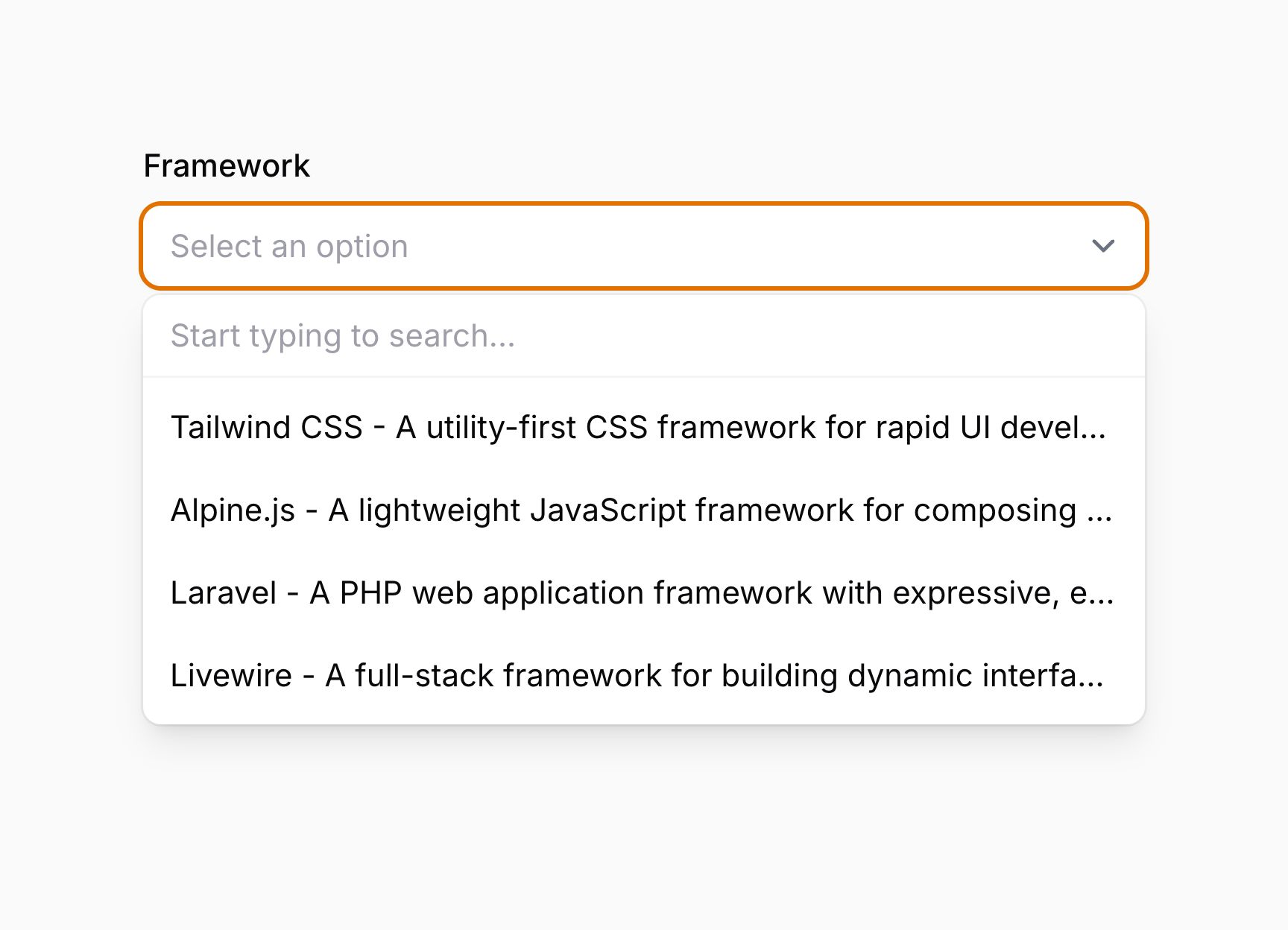

TIP
除了允许静态值外,wrapOptionLabels() 方法也接受函数以动态计算。你可以将各种工具作为参数注入到该函数中。
禁用占位符选择
你可以使用 selectablePlaceholder(false) 方法阻止选择占位符(null 选项):
use Filament\Forms\Components\Select;

Select::make('status')
    ->options([
        'draft' => 'Draft',
        'reviewing' => 'Reviewing',
        'published' => 'Published',
    ])
    ->default('draft')
    ->selectablePlaceholder(false)
TIP
除了允许静态值外,selectablePlaceholder() 方法也接受函数以动态计算。你可以将各种工具作为参数注入到该函数中。
禁用特定选项
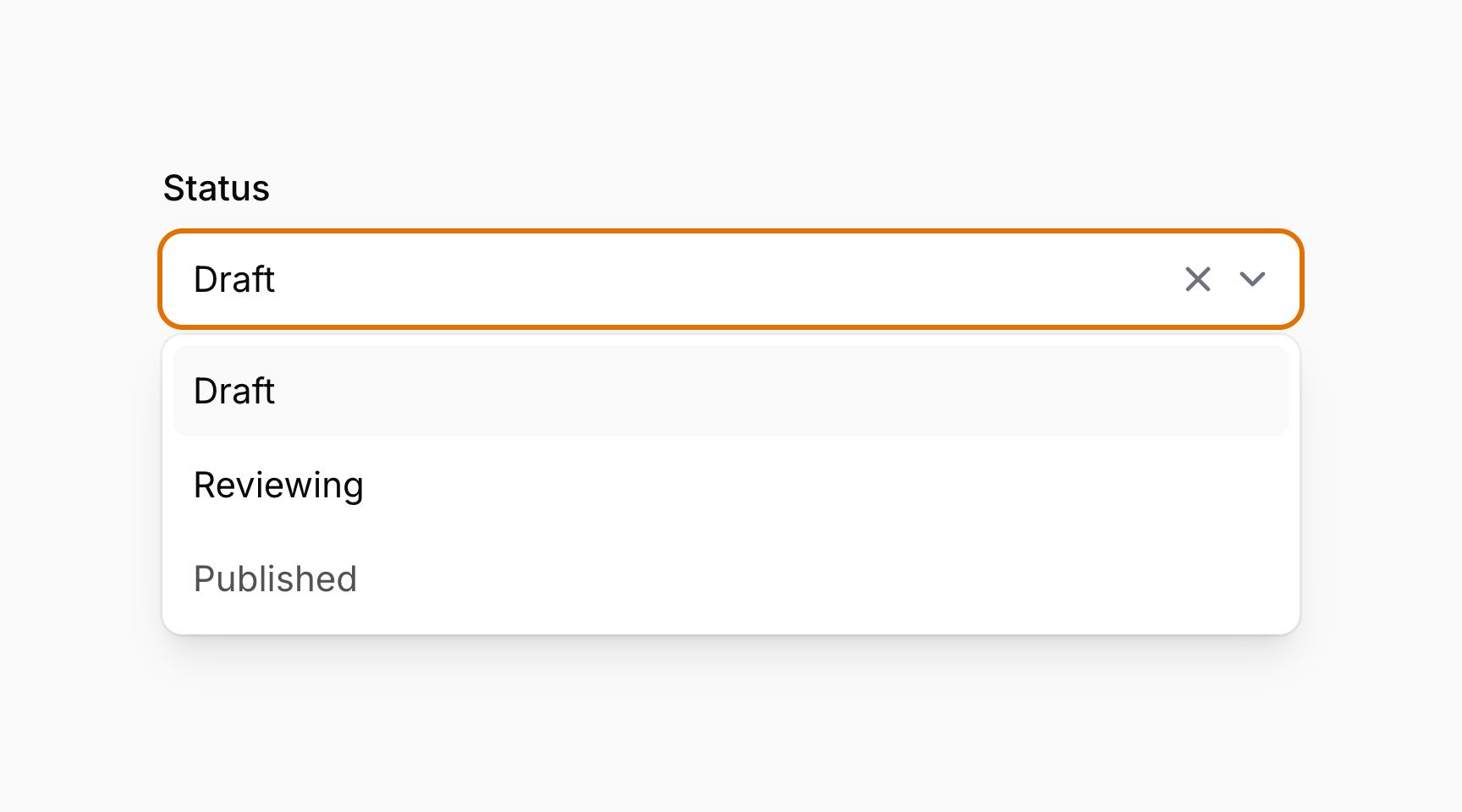
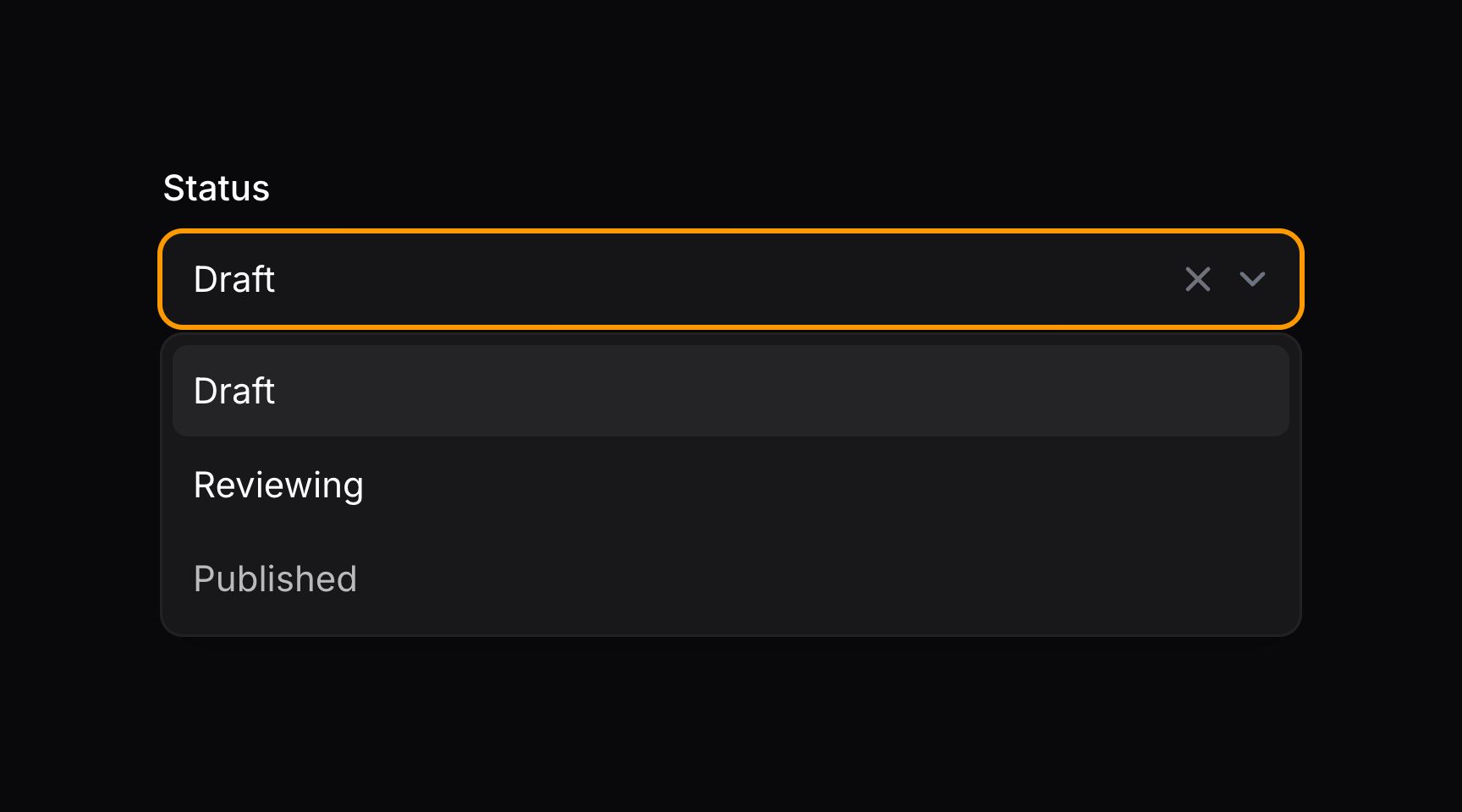
你可以使用 disableOptionWhen() 方法禁用特定选项。它接受一个闭包,可在其中检查具有特定 $value 的选项是否应禁用:
use Filament\Forms\Components\Select;

Select::make('status')
    ->options([
        'draft' => 'Draft',
        'reviewing' => 'Reviewing',
        'published' => 'Published',
    ])
    ->default('draft')
    ->disableOptionWhen(fn (string $value): bool => $value === 'published')
TIP
你可以将各种工具作为参数注入到该函数中。
在字段旁添加前后缀文本
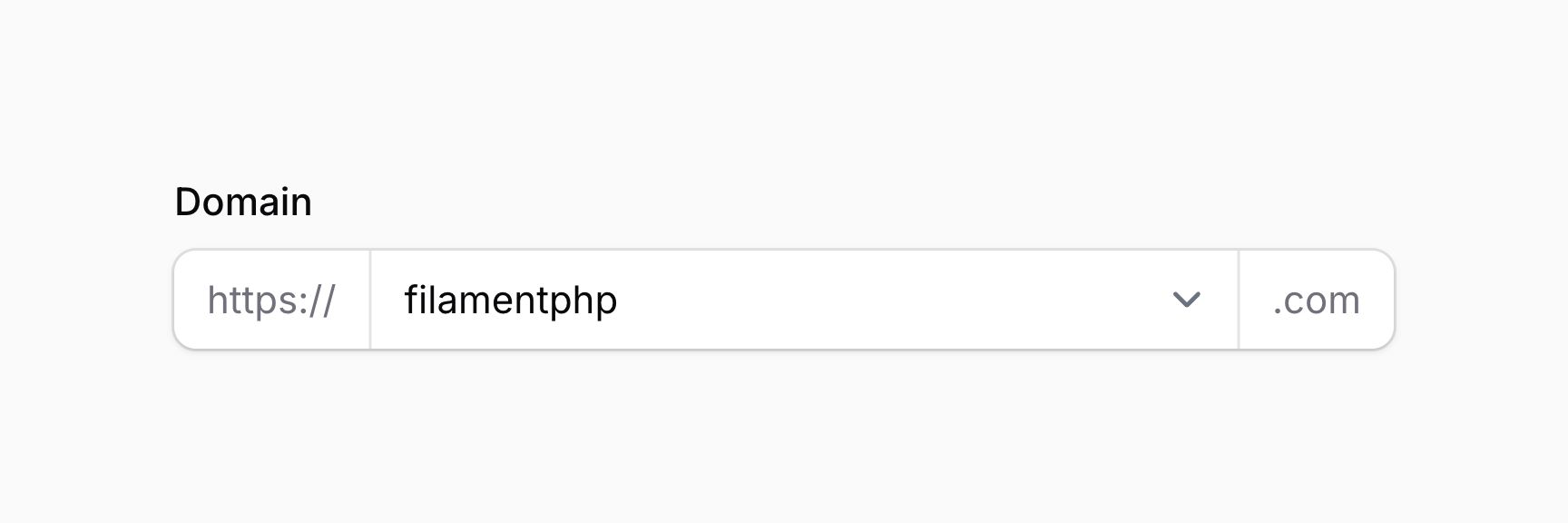
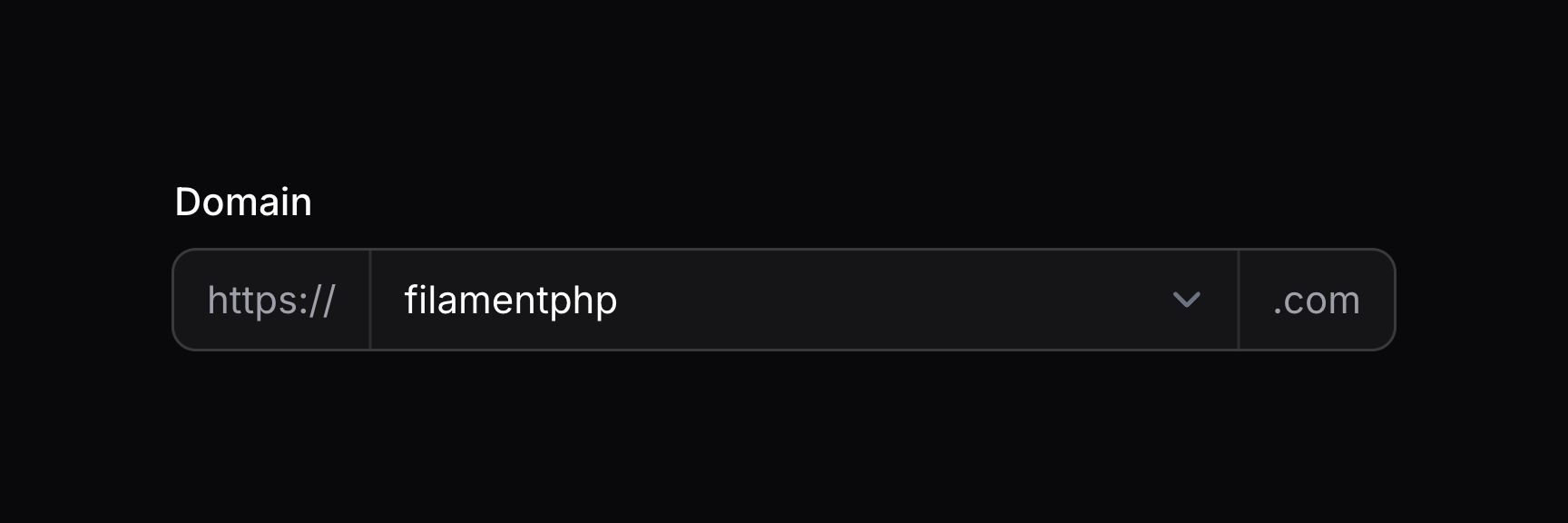
你可以使用 prefix() 和 suffix() 方法在输入前后放置文本:
use Filament\Forms\Components\Select;

Select::make('domain')
    ->prefix('https://')
    ->suffix('.com')
TIP
除了允许静态值外,prefix() 和 suffix() 方法也接受函数以动态计算。你可以将各种工具作为参数注入到该函数中。
使用图标作为前后缀
你可以使用 prefixIcon() 和 suffixIcon() 方法在输入前后放置图标:
use Filament\Forms\Components\Select;
use Filament\Support\Icons\Heroicon;

Select::make('domain')
    ->suffixIcon(Heroicon::GlobeAlt)
TIP
除了允许静态值外,prefixIcon() 和 suffixIcon() 方法也接受函数以动态计算。你可以将各种工具作为参数注入到该函数中。


设置前后缀图标颜色
前后缀图标默认为灰色,但你可以使用 prefixIconColor() 和 suffixIconColor() 方法设置不同颜色:
use Filament\Forms\Components\Select;
use Filament\Support\Icons\Heroicon;

Select::make('domain')
    ->suffixIcon(Heroicon::CheckCircle)
    ->suffixIconColor('success')
TIP
除了允许静态值外,prefixIconColor() 和 suffixIconColor() 方法也接受函数以动态计算。你可以将各种工具作为参数注入到该函数中。


限制选项数量
你可以使用 optionsLimit() 方法限制可搜索选择器或多选中显示的选项数量。默认值为 50:
use Filament\Forms\Components\Select;

Select::make('author_id')
    ->relationship(name: 'author', titleAttribute: 'name')
    ->searchable()
    ->optionsLimit(20)
请确保不要把限制提得过高,否则可能因浏览器内存占用过高,导致选择器变慢且无响应。
TIP
除了允许静态值外,optionsLimit() 方法也接受函数以动态计算。你可以将各种工具作为参数注入到该函数中。
布尔选项
若需要带「Yes」和「No」选项的简单布尔选择器,可以使用 boolean() 方法:
use Filament\Forms\Components\Select;

Select::make('feedback')
    ->label('Like this post?')
    ->boolean()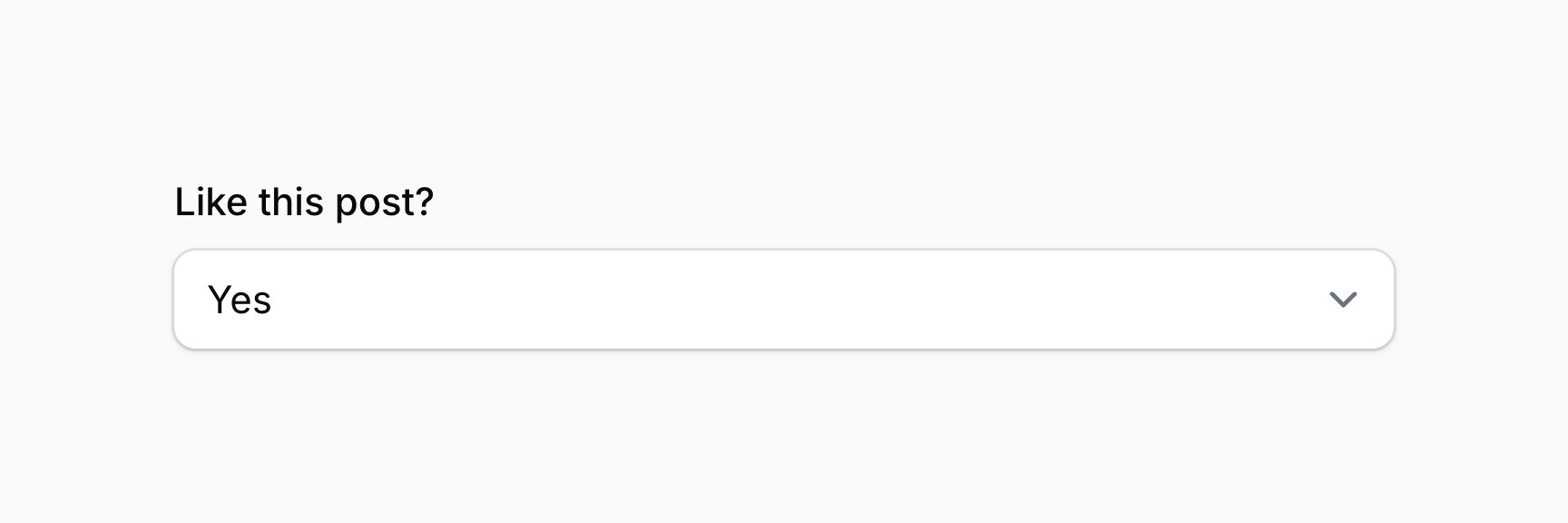

要自定义「Yes」标签,可以在 boolean() 方法上使用 trueLabel 参数:
use Filament\Forms\Components\Select;

Select::make('feedback')
    ->label('Like this post?')
    ->boolean(trueLabel: 'Absolutely!')
要自定义「No」标签,可以在 boolean() 方法上使用 falseLabel 参数:
use Filament\Forms\Components\Select;

Select::make('feedback')
    ->label('Like this post?')
    ->boolean(falseLabel: 'Not at all!')
要自定义尚未选择选项时显示的占位符,可以在 boolean() 方法上使用 placeholder 参数:
use Filament\Forms\Components\Select;

Select::make('feedback')
    ->label('Like this post?')
    ->boolean(placeholder: 'Make your mind up...')
从模态框中的表格选择选项
要使用 ModalTableSelect,必须有该模型的表格配置类。你可以使用 make:filament-table 命令生成此类:
use Filament\Tables\Columns\TextColumn;
use Filament\Tables\Filters\SelectFilter;
use Filament\Tables\Table;

class CategoriesTable
{
    public static function configure(Table $table): Table
    {
        return $table
            ->columns([
                TextColumn::make('name')
                    ->searchable(),
                TextColumn::make('slug')
                    ->searchable(),
            ])
            ->filters([
                SelectFilter::make('parent')
                    ->relationship('parent', 'name')
                    ->searchable()
                    ->preload(),
            ]);
    }
}
该类必须有接受 Table 对象并返回它的 configure() 方法。类名需要传给 ModalTableSelect 组件的 tableConfiguration() 方法:
use Filament\Forms\Components\ModalTableSelect;

ModalTableSelect::make('category_id')
    ->relationship('category', 'name')
    ->tableConfiguration(CategoriesTable::class)
你也可以将 multiple() 方法与 BelongsToMany 等多对多关系一起使用:
use Filament\Forms\Components\ModalTableSelect;

ModalTableSelect::make('categories')
    ->relationship('categories', 'name')
    ->multiple()
    ->tableConfiguration(CategoriesTable::class)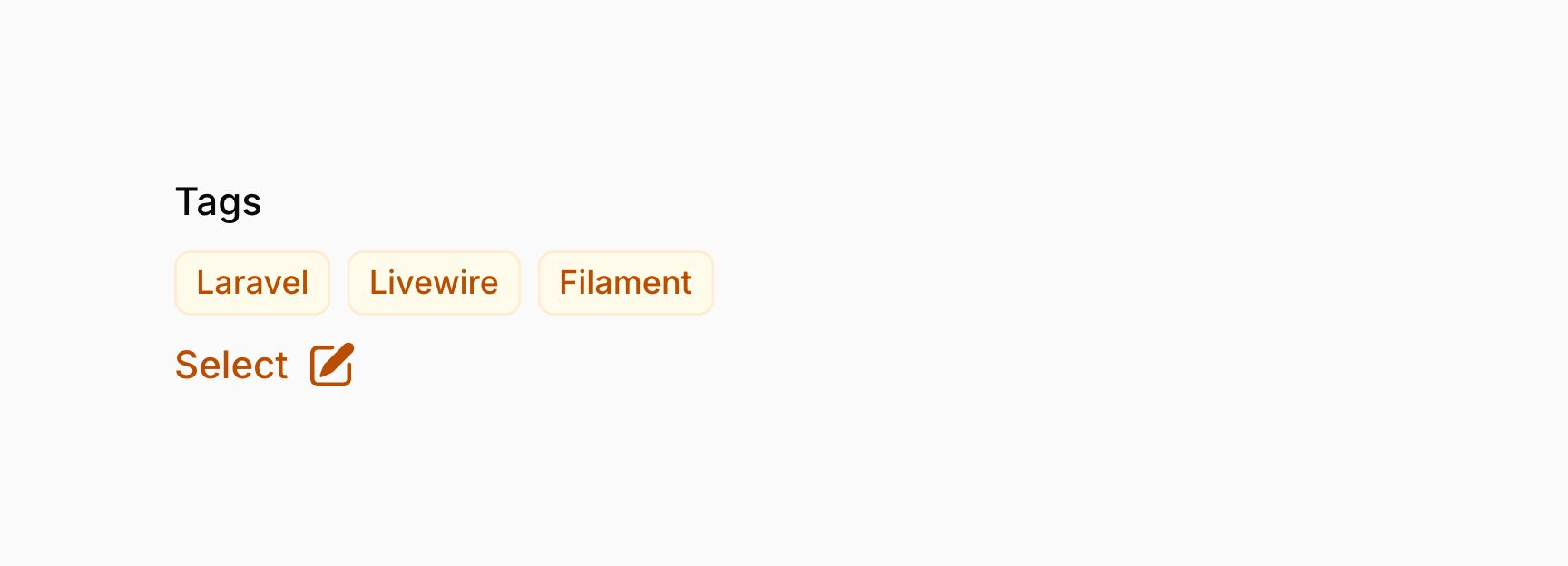

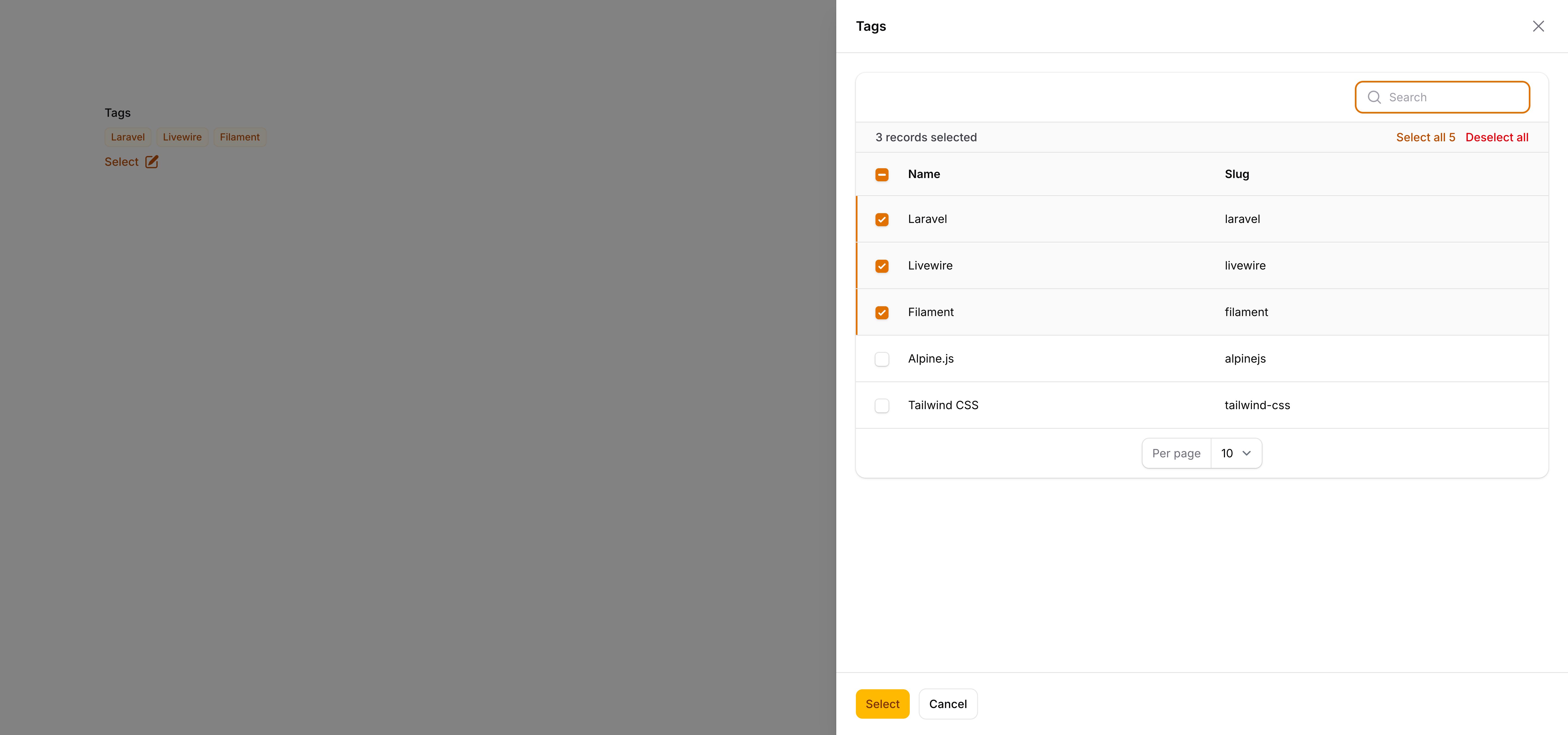
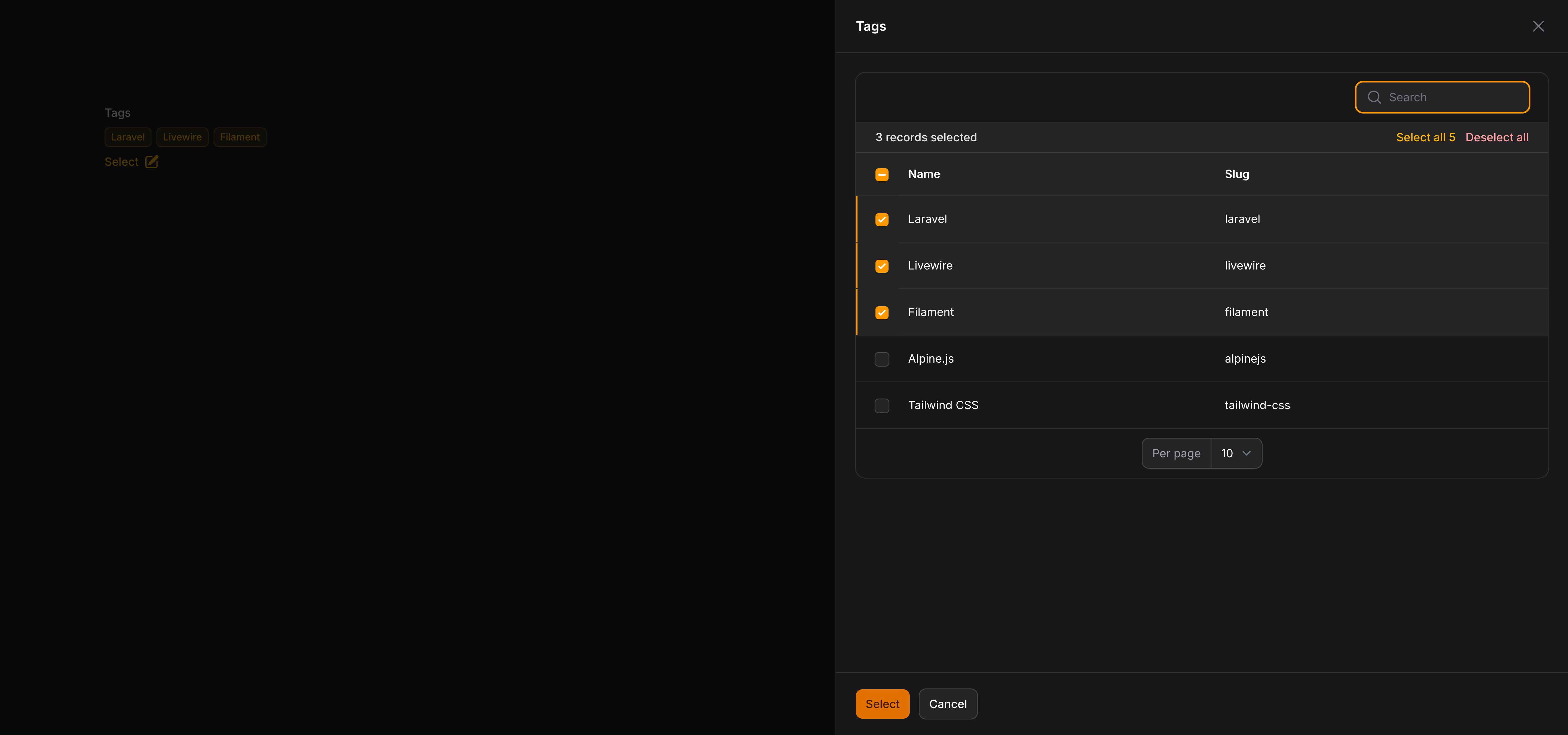
TIP
tableConfiguration() 方法可以将各种工具作为参数注入到该函数中。
自定义模态表格选择器操作
你可以使用 action 对象配置方法自定义「Select」按钮和模态框。向 selectAction() 方法传入函数可修改 $action 对象,例如更改按钮标签和模态框标题:
use Filament\Actions\Action;
use Filament\Forms\Components\ModalTableSelect;

ModalTableSelect::make('category_id')
    ->relationship('category', 'name')
    ->tableConfiguration(CategoriesTable::class)
    ->selectAction(
        fn (Action $action) => $action
            ->label('Select a category')
            ->modalHeading('Search categories')
            ->modalSubmitActionLabel('Confirm selection'),
    )
TIP
selectAction() 方法可以将各种工具作为参数注入到该函数中。
自定义模态表格选择器中的选项标签
getOptionLabelFromRecordUsing() 方法可用于自定义每个已选选项的标签。若要显示更具描述性的标签或拼接两列,这很有用:
use Filament\Forms\Components\ModalTableSelect;

ModalTableSelect::make('category_id')
    ->relationship('category', 'name')
    ->tableConfiguration(CategoriesTable::class)
->getOptionLabelFromRecordUsing(fn (Category $record): string => "{$record->name} ({$record->slug})")默认情况下,multiple() 选项以「badge」样式列出,单选选项以纯文本列出。可使用 badge() 方法定义选项标签是否显示在徽章内:
use Filament\Forms\Components\ModalTableSelect;

ModalTableSelect::make('category_id')
    ->relationship('category', 'name')
    ->tableConfiguration(CategoriesTable::class)
    ->badge()

ModalTableSelect::make('categories')
    ->relationship('categories', 'name')
    ->multiple()
    ->tableConfiguration(CategoriesTable::class)
    ->badge(false)
badgeColor() 方法可用于设置徽章颜色:
use Filament\Forms\Components\ModalTableSelect;

ModalTableSelect::make('categories')
    ->relationship('categories', 'name')
    ->multiple()
    ->tableConfiguration(CategoriesTable::class)
    ->badgeColor('success')
TIP
除了允许静态值外,badgeColor() 方法也接受函数以动态计算。你可以将各种工具作为参数注入到该函数中。
向模态选择器中的表格传递额外参数
你可以使用 tableArguments() 方法将参数从表单传给表格配置类。例如,可根据先前填写的表单字段修改表格查询:
use Filament\Actions\Action;
use Filament\Forms\Components\ModalTableSelect;
use Filament\Schemas\Components\Utilities\Get;

ModalTableSelect::make('products')
    ->relationship('products', 'name')
    ->multiple()
    ->tableConfiguration(ProductsTable::class)
    ->tableArguments(function (Get $get): array {
        return [
            'category_id' => $get('category_id'),
            'budget_limit' => $get('budget'),
        ];
    })
TIP
tableArguments() 方法可以将各种工具作为参数注入到该函数中。
在表格配置类中,你可以使用 $table->getArguments() 方法访问这些参数:
use Filament\Forms\Components\TableSelect\Livewire\TableSelectLivewireComponent;
use Filament\Tables\Columns\TextColumn;
use Illuminate\Database\Eloquent\Builder;
use Filament\Tables\Table;

class ProductsTable
{
    public static function configure(Table $table): Table
    {
        return $table
            ->modifyQueryUsing(function (Builder $query) use ($table): Builder {
                $arguments = $table->getArguments();

                if ($categoryId = $arguments['category_id'] ?? null) {
                    $query->where('category_id', $categoryId);
                }

                if ($budgetLimit = $arguments['budget_limit'] ?? null) {
                    $query->where('price', '<=', $budgetLimit);
                }

                return $query;
            })
            ->columns([
                TextColumn::make('name'),
                TextColumn::make('price')
                    ->money(),
                TextColumn::make('category.name')
                    ->hidden(filled($table->getArguments()['category_id'])),
            ]);
    }
}
DANGER
使用 modifyQueryUsing() 或 tableArguments() 过滤表格查询仅是展示性的——它只影响表格中显示哪些可选记录。这不是安全边界:篡改提交表单状态的用户仍可选择被排除在可见表格之外的记录,且该记录仍会通过验证并被保存。
要限制实际可选并保存的记录,应改为使用 relationship() 方法 的 modifyQueryUsing 参数来限定字段的关系查询。Filament 会对照该查询验证提交的值,因此其外的记录会被拒绝:
use Filament\Forms\Components\ModalTableSelect;
use Illuminate\Database\Eloquent\Builder;

ModalTableSelect::make('products')
    ->relationship(
        name: 'products',
        titleAttribute: 'name',
        modifyQueryUsing: fn (Builder $query) => $query->whereBelongsTo(auth()->user()),
    )
    ->multiple()
    ->tableConfiguration(ProductsTable::class)
选择器验证
除了验证页面列出的所有规则外,还有一些专门针对选择器的额外规则。
有效选项验证(in() 规则)
in() 规则确保用户无法选择不在选项列表中的选项。这对数据完整性很重要,因此 Filament 默认对所有选择字段应用该规则。
WARNING
所选选项验证至关重要,因此我们强烈建议你为表单编写自动化测试,以确保验证按预期工作。
由于选择字段填充选项的方式很多,且许多情况下选项默认不会全部加载到选择器中、需要搜索才能获取,Filament 使用是否存在有效的「选项标签」来判断所选值是否存在。它还会检查该选项是否被禁用。
若使用自定义搜索查询检索选项,应确保定义了 getOptionLabelUsing() 方法,以便 Filament 能对照可用选项验证所选值:
use Filament\Forms\Components\Select;

Select::make('author_id')
    ->searchable()
    ->getSearchResultsUsing(fn (string $search): array => Author::query()
        ->where('name', 'like', "%{$search}%")
        ->limit(50)
        ->pluck('name', 'id')
        ->all())
->getOptionLabelUsing(fn (string $value): ?string => Author::find($value)?->name),若选项无效,getOptionLabelUsing() 方法应返回 null,以便 Filament 判断所选值不在选项列表中。若选项有效,应返回该选项的标签。
若使用 multiple() 选择器或多选,应定义 getOptionLabelsUsing() 而不是 getOptionLabelUsing()。回调会收到 $values 而不是 $value,你应返回标签及其对应值的 $key => $value 数组:
use Filament\Forms\Components\Select;

Select::make('technologies')
    ->multiple()
    ->searchable()
    ->getSearchResultsUsing(fn (string $search): array => Technology::query()
        ->where('name', 'like', "%{$search}%")
        ->limit(50)
        ->pluck('name', 'id')
        ->all())
    ->getOptionLabelsUsing(fn (array $values): array => Technology::query()
        ->whereIn('id', $values)
        ->pluck('name', 'id')
        ->all()),
若使用 relationship() 方法,getOptionLabelUsing() 或 getOptionLabelsUsing() 方法会自动为你定义,因此无需担心。
所选项目数量验证
你可以通过设置 minItems() 和 maxItems() 方法,验证多选中可选项目的最小与最大数量:
use Filament\Forms\Components\Select;

Select::make('technologies')
    ->multiple()
    ->options([
        'tailwind' => 'Tailwind CSS',
        'alpine' => 'Alpine.js',
        'laravel' => 'Laravel',
        'livewire' => 'Laravel Livewire',
    ])
    ->minItems(1)
    ->maxItems(3)
TIP
除了允许静态值外,minItems() 和 maxItems() 方法也接受函数以动态计算。你可以将各种工具作为参数注入到该函数中。
自定义选择器操作对象
该字段使用 action 对象,便于自定义其中的按钮。你可以通过向 action 注册方法传入函数来自定义这些按钮。该函数可访问 $action 对象,用于自定义它或自定义其模态框。以下方法可用于自定义操作:
createOptionAction()editOptionAction()manageOptionActions()(用于一次自定义创建与编辑选项操作)
以下是自定义操作的示例:
use Filament\Actions\Action;
use Filament\Forms\Components\Select;

Select::make('author_id')
    ->relationship(name: 'author', titleAttribute: 'name')
    ->createOptionAction(
        fn (Action $action) => $action->modalWidth('3xl'),
    )
TIP
action 注册方法可以将各种工具作为参数注入到该函数中。