Laravel Telescope
简介
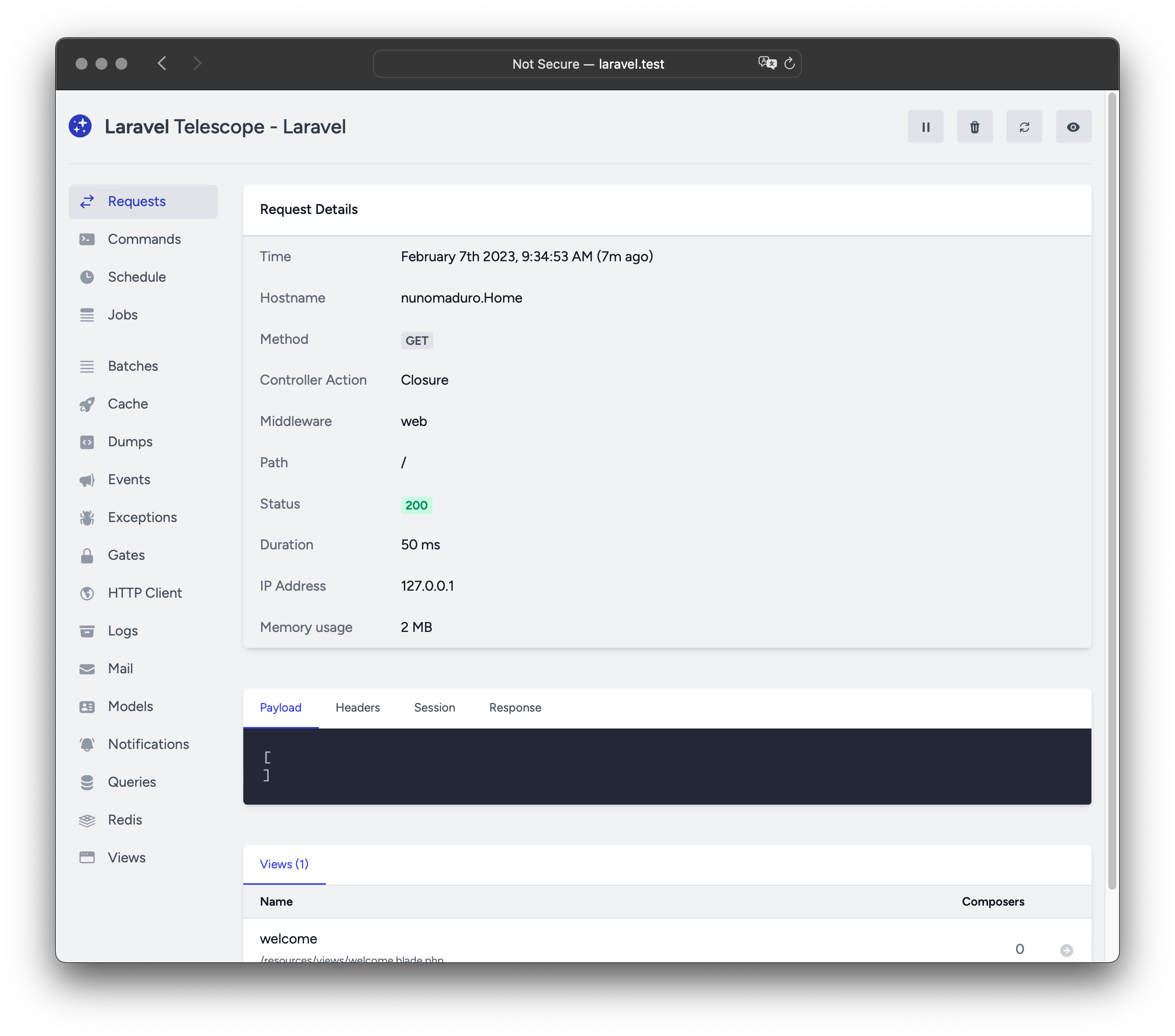
Laravel Telescope 是本地 Laravel 开发环境的得力助手。Telescope 可洞察进入应用的请求、异常、日志、数据库查询、队列任务、邮件、通知、缓存操作、定时任务、变量 dump 等。
安装
可使用 Composer 将 Telescope 安装到 Laravel 项目中:
composer require laravel/telescope安装后,使用 telescope:install Artisan 命令发布资源与迁移,并运行 migrate 以创建存储 Telescope 数据所需的表:
php artisan telescope:install

php artisan migrate
最后可通过 /telescope 路由访问 Telescope 仪表盘。
仅本地安装
若仅计划在本地开发中使用 Telescope,可用 --dev 标志安装:
composer require laravel/telescope --dev

php artisan telescope:install

php artisan migrate
运行 telescope:install 后,应从 bootstrap/providers.php 中移除 TelescopeServiceProvider 的注册,改为在 App\Providers\AppServiceProvider 的 register 方法中手动注册,并确保仅在 local 环境注册:
/**
 * Register any application services.
 */
public function register(): void
{
    if ($this->app->environment('local') && class_exists(\Laravel\Telescope\TelescopeServiceProvider::class)) {
        $this->app->register(\Laravel\Telescope\TelescopeServiceProvider::class);
        $this->app->register(TelescopeServiceProvider::class);
    }
}
最后,还应在 composer.json 中加入以下内容,防止 Telescope 被自动发现:
"extra": {
    "laravel": {
        "dont-discover": [
            "laravel/telescope"
        ]
    }
},
配置
发布资源后,主配置文件位于 config/telescope.php,可用于配置监视器选项。每个选项都有用途说明,请仔细阅读该文件。
如需完全禁用 Telescope 的数据收集,可使用 enabled 配置选项:
'enabled' => env('TELESCOPE_ENABLED', true),
数据清理
若不清理,telescope_entries 表会迅速堆积记录。为此应调度 telescope:prune 每日运行:
use Illuminate\Support\Facades\Schedule;

Schedule::command('telescope:prune')->daily();
默认会清理超过 24 小时的条目。调用命令时可使用 hours 选项指定保留时长。例如,以下命令会删除超过 48 小时的记录:
use Illuminate\Support\Facades\Schedule;

Schedule::command('telescope:prune --hours=48')->daily();
仪表盘授权
Telescope 仪表盘可通过 /telescope 访问。默认仅能在 local 环境访问。app/Providers/TelescopeServiceProvider.php 中有一个授权 gate 定义,控制非本地环境下的访问。可按需修改该 gate 以限制访问:
use App\Models\User;
/**
 * Register the Telescope gate.
 *
 * This gate determines who can access Telescope in non-local environments.
 */
protected function gate(): void
{
    Gate::define('viewTelescope', function (User $user) {
        return in_array($user->email, [
            'taylor@laravel.com',
        ]);
    });
}
WARNING
请确保在生产环境将 APP_ENV 设为 production,否则 Telescope 将对公众开放。
升级 Telescope
升级到 Telescope 新的主版本时,请仔细阅读升级指南。
此外,升级到任何新版本时都应重新发布 Telescope 资源:
php artisan telescope:publish为保持资源更新并避免后续升级问题,可将 vendor:publish --tag=laravel-assets 加入应用 composer.json 的 post-update-cmd:
{
    "scripts": {
        "post-update-cmd": [
            "@php artisan vendor:publish --tag=laravel-assets --ansi --force"
        ]
    }
}
过滤
条目
可通过 App\Providers\TelescopeServiceProvider 中的 filter 闭包过滤 Telescope 记录的数据。默认在 local 环境记录全部数据;在其他环境仅记录异常、失败任务、定时任务以及带有受监视标签的数据:
use Laravel\Telescope\IncomingEntry;
use Laravel\Telescope\Telescope;
/**
 * Register any application services.
 */
public function register(): void
{
    $this->hideSensitiveRequestDetails();

    Telescope::filter(function (IncomingEntry $entry) {
        if ($this->app->environment('local')) {
            return true;
        }

        return $entry->isReportableException() ||
            $entry->isFailedJob() ||
            $entry->isScheduledTask() ||
            $entry->isSlowQuery() ||
            $entry->hasMonitoredTag();
    });
}
批次
filter 闭包过滤单条记录,而 filterBatch 可注册闭包以过滤某次请求或控制台命令的全部数据。若闭包返回 true,则这些条目都会被 Telescope 记录:
use Illuminate\Support\Collection;
use Laravel\Telescope\IncomingEntry;
use Laravel\Telescope\Telescope;
/**
 * Register any application services.
 */
public function register(): void
{
    $this->hideSensitiveRequestDetails();

    Telescope::filterBatch(function (Collection $entries) {
        if ($this->app->environment('local')) {
            return true;
        }

        return $entries->contains(function (IncomingEntry $entry) {
            return $entry->isReportableException() ||
                $entry->isFailedJob() ||
                $entry->isScheduledTask() ||
                $entry->isSlowQuery() ||
                $entry->hasMonitoredTag();
            });
    });
}
标签
Telescope 支持按「标签」搜索条目。标签通常是 Eloquent 模型类名或已认证用户 ID,由 Telescope 自动添加。偶尔你可能想附加自定义标签,可使用 Telescope::tag。该方法接受返回标签数组的闭包,返回值会与 Telescope 自动附加的标签合并。通常应在 App\Providers\TelescopeServiceProvider 的 register 中调用:
use Laravel\Telescope\IncomingEntry;
use Laravel\Telescope\Telescope;
/**
 * Register any application services.
 */
public function register(): void
{
    $this->hideSensitiveRequestDetails();

    Telescope::tag(function (IncomingEntry $entry) {
        return $entry->type === 'request'
            ? ['status:'.$entry->content['response_status']]
            : [];
    });
 }
可用监视器
Telescope「监视器」会在请求或控制台命令执行时收集应用数据。可在 config/telescope.php 中自定义要启用的监视器列表:
'watchers' => [
    Watchers\CacheWatcher::class => true,
    Watchers\CommandWatcher::class => true,
    ...
],
部分监视器还支持额外自定义选项:
'watchers' => [
    Watchers\QueryWatcher::class => [
        'enabled' => env('TELESCOPE_QUERY_WATCHER', true),
        'slow' => 100,
    ],
    ...
],
Batch 监视器
Batch 监视器记录队列 batch 的信息,包括任务与连接信息。
Cache 监视器
Cache 监视器在缓存键命中、未命中、更新与遗忘时记录数据。
Command 监视器
Command 监视器在执行 Artisan 命令时记录参数、选项、退出码与输出。若要排除某些命令,可在 config/telescope.php 的 ignore 选项中指定:
'watchers' => [
    Watchers\CommandWatcher::class => [
        'enabled' => env('TELESCOPE_COMMAND_WATCHER', true),
        'ignore' => ['key:generate'],
    ],
    ...
],
Dump 监视器
Dump 监视器在 Telescope 中记录并显示变量 dump。在 Laravel 中可用全局 dump 函数。浏览器中必须打开 dump 监视器标签页才会记录,否则会被忽略。
Event 监视器
Event 监视器记录应用派发的任意事件的载荷、监听器与广播数据。Laravel 框架内部事件会被忽略。
Exception 监视器
Exception 监视器记录应用抛出的可报告异常的数据与堆栈跟踪。
Gate 监视器
Gate 监视器记录应用的 gate 与 policy 检查数据与结果。若要排除某些 ability,可在 config/telescope.php 的 ignore_abilities 中指定:
'watchers' => [
    Watchers\GateWatcher::class => [
        'enabled' => env('TELESCOPE_GATE_WATCHER', true),
        'ignore_abilities' => ['viewNova'],
    ],
    ...
],
HTTP Client 监视器
HTTP Client 监视器记录应用发出的 HTTP 客户端请求。
Job 监视器
Job 监视器记录应用派发的任意任务的数据与状态。
Log 监视器
Log 监视器记录应用写入的任意日志数据。
默认仅记录 error 及以上级别。可在 config/telescope.php 中修改 level 选项以调整该行为:
'watchers' => [
    Watchers\LogWatcher::class => [
        'enabled' => env('TELESCOPE_LOG_WATCHER', true),
        'level' => 'debug',
    ],

    // ...
],
Mail 监视器
Mail 监视器可在浏览器中预览应用发送的邮件及相关数据,也可下载为 .eml 文件。
Model 监视器
Model 监视器在派发 Eloquent 模型事件时记录模型变更。可通过监视器的 events 选项指定要记录的事件:
'watchers' => [
    Watchers\ModelWatcher::class => [
        'enabled' => env('TELESCOPE_MODEL_WATCHER', true),
        'events' => ['eloquent.created*', 'eloquent.updated*'],
    ],
    ...
],
若要记录某次请求中 hydrate 的模型数量,请启用 hydrations 选项:
'watchers' => [
    Watchers\ModelWatcher::class => [
        'enabled' => env('TELESCOPE_MODEL_WATCHER', true),
        'events' => ['eloquent.created*', 'eloquent.updated*'],
        'hydrations' => true,
    ],
    ...
],
Notification 监视器
Notification 监视器记录应用发送的所有通知。若通知触发邮件且已启用 mail 监视器,邮件也可在 mail 监视器界面预览。
Query 监视器
Query 监视器记录应用执行的所有查询的原始 SQL、绑定与执行时间,并将超过 100 毫秒的查询标记为 slow。可通过监视器的 slow 选项自定义慢查询阈值:
'watchers' => [
    Watchers\QueryWatcher::class => [
        'enabled' => env('TELESCOPE_QUERY_WATCHER', true),
        'slow' => 50,
    ],
    ...
],
Redis 监视器
Redis 监视器记录应用执行的所有 Redis 命令。若用 Redis 做缓存,缓存命令也会被记录。
Request 监视器
Request 监视器记录应用处理的任意请求相关的请求、头、session 与响应数据。可通过 size_limit(单位为千字节)限制记录的响应数据大小:
'watchers' => [
    Watchers\RequestWatcher::class => [
        'enabled' => env('TELESCOPE_REQUEST_WATCHER', true),
        'size_limit' => env('TELESCOPE_RESPONSE_SIZE_LIMIT', 64),
    ],
    ...
],
Schedule 监视器
Schedule 监视器记录应用运行的任意定时任务的命令与输出。
View 监视器
View 监视器记录渲染视图时使用的视图名称、路径、数据与「composers」。
显示用户头像
Telescope 仪表盘会显示保存条目时已认证用户的头像。默认通过 Gravatar 获取。也可在 App\Providers\TelescopeServiceProvider 中注册回调自定义头像 URL;回调会收到用户 ID 与邮箱,应返回头像图片 URL:
use App\Models\User;
use Laravel\Telescope\Telescope;
/**
 * Register any application services.
 */
public function register(): void
{
    // ...

    Telescope::avatar(function (string $id, string $email) {
        return '/avatars/'.User::find($id)->avatar_path;
    });
}