Laravel Horizon
简介
INFO
在深入了解 Laravel Horizon 之前,应先熟悉 Laravel 的基础队列服务。Horizon 为 Laravel 队列增加了额外功能,若不熟悉 Laravel 提供的基础队列特性,可能会感到困惑。
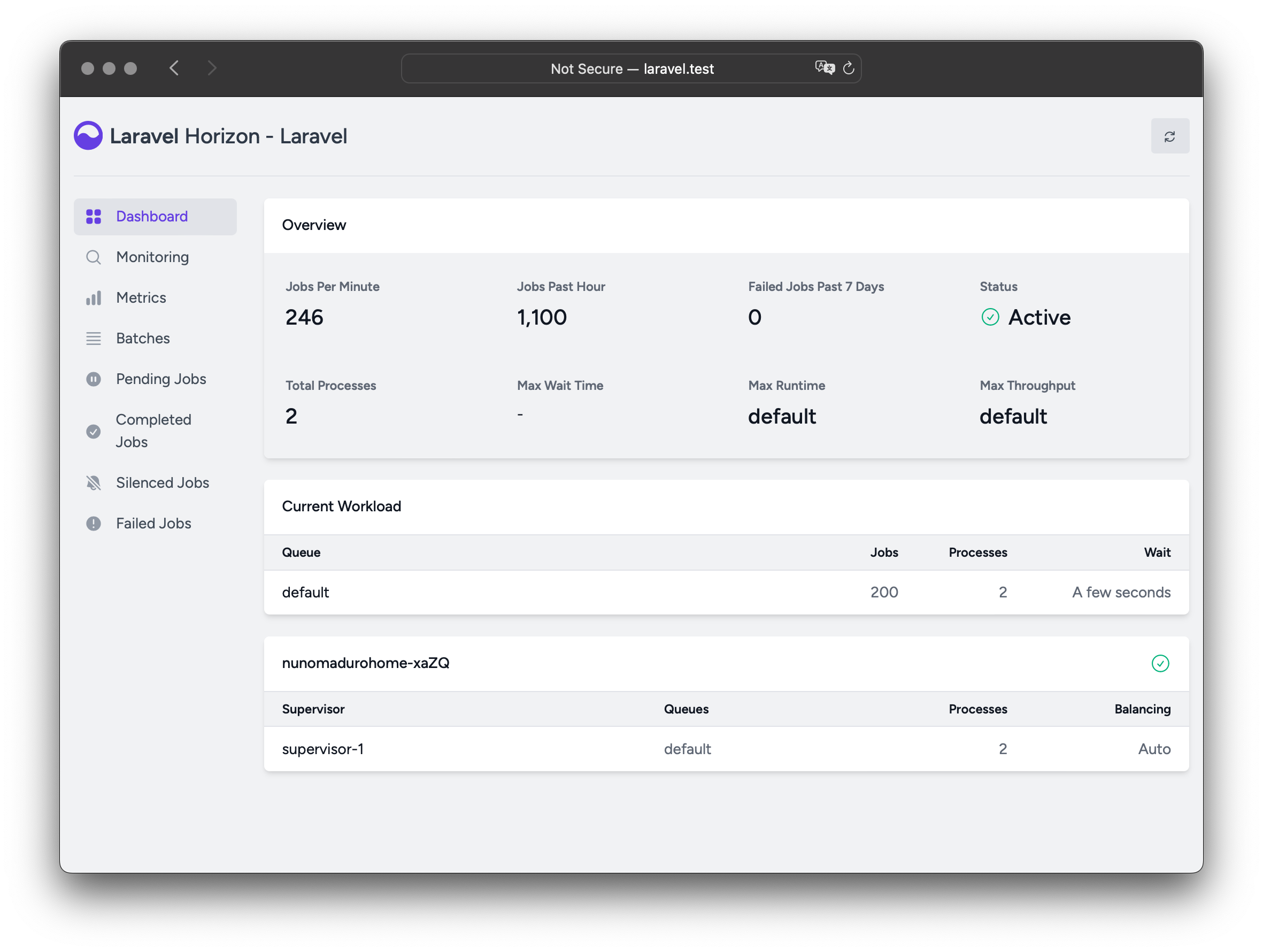
Laravel Horizon 为 Laravel 驱动的 Redis 队列 提供美观的仪表盘和代码驱动的配置。Horizon 让你轻松监控队列系统的关键指标,例如任务吞吐量、运行时间和失败任务。
使用 Horizon 时,所有队列 worker 配置都存储在单一、简洁的配置文件中。在版本控制的文件中定义 worker 配置,部署时可轻松扩展或修改队列 worker。
安装
WARNING
Laravel Horizon 要求使用 Redis 驱动队列。因此,请确保在应用 config/queue.php 中将队列连接设为 redis。Horizon 目前不兼容 Redis Cluster。
可通过 Composer 将 Horizon 安装到项目中:
composer require laravel/horizon安装 Horizon 后,使用 horizon:install Artisan 命令发布资源:
php artisan horizon:install配置
发布 Horizon 资源后,主配置文件位于 config/horizon.php。该文件用于配置应用的队列 worker 选项。每个配置选项都包含用途说明,请仔细阅读。
WARNING
Horizon 内部使用名为 horizon 的 Redis 连接。该连接名已保留,不应在 database.php 中分配给其他 Redis 连接,也不应作为 horizon.php 中 use 选项的值。
环境
安装后,应首先熟悉 environments 配置选项。该选项是应用运行环境的数组,并为每个环境定义 worker 进程选项。默认包含 production 和 local 环境,也可按需添加更多环境:
'environments' => [
    'production' => [
        'supervisor-1' => [
            'maxProcesses' => 10,
            'balanceMaxShift' => 1,
            'balanceCooldown' => 3,
        ],
    ],

    'local' => [
        'supervisor-1' => [
            'maxProcesses' => 3,
        ],
    ],
],还可定义通配符环境(*),在没有其他匹配环境时使用:
'environments' => [
    // ...

    '*' => [
        'supervisor-1' => [
            'maxProcesses' => 3,
        ],
    ],
],
启动 Horizon 时,会使用应用当前运行环境的 worker 进程配置。环境通常由 APP_ENV 环境变量 的值决定。例如,默认 local 环境配置为启动 3 个 worker 进程并自动平衡各队列的 worker 数量;默认 production 环境最多启动 10 个 worker 进程并自动平衡各队列的 worker 数量。
WARNING
请确保 horizon 配置文件的 environments 部分包含计划运行 Horizon 的每个环境的条目。
Supervisor
如 Horizon 默认配置文件所示,每个环境可包含一个或多个「supervisor」。默认配置将其定义为 supervisor-1,但你可以自由命名。每个 supervisor 本质上负责「监管」一组 worker 进程,并在各队列间平衡 worker 进程。
若要在某环境中定义新的 worker 进程组,可添加额外的 supervisor。例如,可为应用使用的特定队列定义不同的平衡策略或 worker 进程数量。
维护模式
应用处于维护模式时,Horizon 不会处理队列任务,除非在 Horizon 配置中将 supervisor 的 force 选项设为 true:
'environments' => [
    'production' => [
        'supervisor-1' => [
            // ...
            'force' => true,
        ],
    ],
],
默认值
Horizon 默认配置中有 defaults 选项,用于指定应用 supervisor 的默认值。这些默认值会合并到各环境的 supervisor 配置中,避免重复定义。
仪表盘授权
Horizon 仪表盘可通过 /horizon 路由访问。默认情况下,仅在 local 环境可访问。但在 app/Providers/HorizonServiceProvider.php 中有授权 Gate 定义,用于控制非 local 环境下对 Horizon 的访问。可按需修改此 Gate 以限制访问:
/**
 * Register the Horizon gate.
 *
 * This gate determines who can access Horizon in non-local environments.
 */
protected function gate(): void
{
    Gate::define('viewHorizon', function (User $user) {
        return in_array($user->email, [
            'taylor@laravel.com',
        ]);
    });
}
替代认证策略
请记住,Laravel 会自动将已认证用户注入 Gate 闭包。若应用通过 IP 限制等其他方式保护 Horizon,Horizon 用户可能无需「登录」。因此,需将上述 function (User $user) 闭包签名改为 function (User $user = null),以强制 Laravel 不要求认证。
最大任务尝试次数
INFO
在调整这些选项之前,请确保熟悉 Laravel 默认队列服务和「attempts」概念。
可在 supervisor 配置中定义任务可消耗的最大尝试次数:
'environments' => [
    'production' => [
        'supervisor-1' => [
            // ...
            'tries' => 10,
        ],
    ],
],
INFO
此选项类似于使用 Artisan 命令处理队列时的 --tries 选项。
使用 WithoutOverlapping 或 RateLimited 等中间件时,调整 tries 选项很重要,因为它们会消耗尝试次数。可在 supervisor 级别调整 tries,或在任务类上定义 $tries 属性。
若未设置 tries 选项,Horizon 默认为单次尝试,除非任务类定义了 $tries(优先于 Horizon 配置)。
将 tries 或 $tries 设为 0 允许无限次尝试,适合尝试次数不确定的情况。为防止无休止失败,可在任务类上设置 $maxExceptions 属性以限制允许的异常次数。
任务超时
同样,可在 supervisor 级别设置 timeout 值,指定 worker 进程运行任务多少秒后被强制终止。终止后,任务会根据队列配置重试或标记为失败:
'environments' => [
    'production' => [
        'supervisor-1' => [
            // ...
            'timeout' => 60,
        ],
    ],
],
WARNING
使用 auto 平衡策略时,Horizon 会将进行中的 worker 视为「挂起」,并在缩容时于 Horizon 超时后强制终止。请始终确保 Horizon 超时大于任何任务级超时,否则任务可能在执行中被终止。此外,timeout 值应始终比 config/queue.php 中的 retry_after 值至少短几秒,否则任务可能被处理两次。
任务退避
可在 supervisor 级别定义 backoff 值,指定 Horizon 在遇到未处理异常后等待多久再重试任务:
'environments' => [
    'production' => [
        'supervisor-1' => [
            // ...
            'backoff' => 10,
        ],
    ],
],
也可通过数组配置「指数」退避。以下示例中,首次重试延迟 1 秒,第二次 5 秒,第三次 10 秒,若仍有剩余尝试次数,后续每次重试延迟 10 秒:
'environments' => [
    'production' => [
        'supervisor-1' => [
            // ...
            'backoff' => [1, 5, 10],
        ],
    ],
],
静默任务
有时,你可能不想查看应用或第三方包分派的某些任务。与其让这些任务占用「已完成任务」列表空间,不如将其静默。首先,在应用 horizon 配置文件的 silenced 选项中添加任务类名:
'silenced' => [
    App\Jobs\ProcessPodcast::class,
],
除静默单个任务类外,Horizon 还支持基于标签静默任务。若需隐藏共享同一标签的多个任务,这很有用:
'silenced_tags' => [
    'notifications'
],
或者,要静默的任务可实现 Laravel\Horizon\Contracts\Silenced 接口。实现此接口的任务会自动静默,即使未出现在 silenced 配置数组中:
use Laravel\Horizon\Contracts\Silenced;

class ProcessPodcast implements ShouldQueue, Silenced
{
    use Queueable;

    // ...
}
平衡策略
每个 supervisor 可处理一个或多个队列,但与 Laravel 默认队列系统不同,Horizon 提供三种 worker 平衡策略:auto、simple 和 false。
自动平衡
auto 策略(默认)根据队列当前负载调整每个队列的 worker 进程数量。例如,若 notifications 队列有 1000 个待处理任务而 default 队列为空,Horizon 会为 notifications 队列分配更多 worker,直到队列为空。
使用 auto 策略时,还可配置 minProcesses 和 maxProcesses 选项:
minProcesses定义每个队列的最小 worker 进程数。该值必须大于或等于 1。maxProcesses定义 Horizon 在所有队列上可扩展到的 worker 进程总数上限。该值通常应大于队列数乘以minProcesses。设为0可阻止 supervisor 创建任何进程。
例如,可配置 Horizon 每个队列至少保持 1 个进程,最多扩展到 10 个 worker 进程:
'environments' => [
    'production' => [
        'supervisor-1' => [
            'connection' => 'redis',
            'queue' => ['default', 'notifications'],
            'balance' => 'auto',
            'autoScalingStrategy' => 'time',
            'minProcesses' => 1,
            'maxProcesses' => 10,
            'balanceMaxShift' => 1,
            'balanceCooldown' => 3,
        ],
    ],
],
autoScalingStrategy 配置选项决定 Horizon 如何向队列分配更多 worker 进程。可在两种策略中选择:
time策略根据清空队列的预计总时间分配 worker。size策略根据队列上的任务总数分配 worker。
balanceMaxShift 和 balanceCooldown 配置值决定 Horizon 满足 worker 需求时的扩展速度。上述示例中,每 3 秒最多创建或销毁 1 个新进程。可根据应用需求调整这些值。
队列优先级与自动平衡
使用 auto 平衡策略时,Horizon 不在队列间强制执行严格优先级。supervisor 配置中队列的顺序不影响 worker 进程分配。Horizon 依赖所选的 autoScalingStrategy 根据队列负载动态分配 worker 进程。
例如,以下配置中,尽管 high 队列在列表中排在前面,但它并不优先于 default 队列:
'environments' => [
    'production' => [
        'supervisor-1' => [
            // ...
            'queue' => ['high', 'default'],
            'minProcesses' => 1,
            'maxProcesses' => 10,
        ],
    ],
],
若需在队列间强制执行相对优先级,可定义多个 supervisor 并显式分配处理资源:
'environments' => [
    'production' => [
        'supervisor-1' => [
            // ...
            'queue' => ['default'],
            'minProcesses' => 1,
            'maxProcesses' => 10,
        ],
        'supervisor-2' => [
            // ...
            'queue' => ['images'],
            'minProcesses' => 1,
            'maxProcesses' => 1,
        ],
    ],
],此示例中,default 队列最多可扩展到 10 个进程,而 images 队列限制为 1 个进程。该配置确保各队列可独立扩展。
INFO
分派资源密集型任务时,最好将其分配到 maxProcesses 值有限的专用队列。否则,这些任务可能消耗过多 CPU 资源并使系统过载。
简单平衡
simple 策略在指定队列间均匀分配 worker 进程。此策略下,Horizon 不会自动扩展 worker 数量,而是使用固定数量的进程:
'environments' => [
    'production' => [
        'supervisor-1' => [
            // ...
            'queue' => ['default', 'notifications'],
            'balance' => 'simple',
            'processes' => 10,
        ],
    ],
],
上述示例中,Horizon 将为每个队列分配 5 个进程,将总数 10 均分。
若要单独控制每个队列的 worker 进程数量,可定义多个 supervisor:
'environments' => [
    'production' => [
        'supervisor-1' => [
            // ...
            'queue' => ['default'],
            'balance' => 'simple',
            'processes' => 10,
        ],
        'supervisor-notifications' => [
            // ...
            'queue' => ['notifications'],
            'balance' => 'simple',
            'processes' => 2,
        ],
    ],
],
此配置下,Horizon 将为 default 队列分配 10 个进程,为 notifications 队列分配 2 个进程。
无平衡
当 balance 选项设为 false 时,Horizon 严格按列表顺序处理队列,类似 Laravel 默认队列系统。但任务开始堆积时仍会扩展 worker 进程数量:
'environments' => [
    'production' => [
        'supervisor-1' => [
            // ...
            'queue' => ['default', 'notifications'],
            'balance' => false,
            'minProcesses' => 1,
            'maxProcesses' => 10,
        ],
    ],
],上述示例中,default 队列的任务始终优先于 notifications 队列。例如,若 default 有 1000 个任务而 notifications 只有 10 个,Horizon 会先处理完所有 default 任务,再处理 notifications 中的任务。
可使用 minProcesses 和 maxProcesses 选项控制 Horizon 扩展 worker 进程的能力:
minProcesses定义 worker 进程总数的最小值。该值必须大于或等于 1。maxProcesses定义 Horizon 可扩展到的 worker 进程总数上限。
升级 Horizon
升级 Horizon 到新主版本时,请仔细阅读升级指南。
运行 Horizon
在应用 config/horizon.php 中配置 supervisor 和 worker 后,可使用 horizon Artisan 命令启动 Horizon。该命令会启动当前环境的所有已配置 worker 进程:
php artisan horizon可使用 horizon:pause 和 horizon:continue Artisan 命令暂停 Horizon 进程并指示其继续处理任务:
php artisan horizon:pause

php artisan horizon:continue
也可使用 horizon:pause-supervisor 和 horizon:continue-supervisor Artisan 命令暂停和恢复特定 Horizon supervisor:
php artisan horizon:pause-supervisor supervisor-1

php artisan horizon:continue-supervisor supervisor-1
可使用 horizon:status Artisan 命令检查 Horizon 进程当前状态:
php artisan horizon:status可使用 horizon:supervisor-status Artisan 命令检查特定 Horizon supervisor 的当前状态:
php artisan horizon:supervisor-status supervisor-1可使用 horizon:terminate Artisan 命令优雅终止 Horizon 进程。当前正在处理的任务会完成后,Horizon 才会停止执行:
php artisan horizon:terminate自动重启 Horizon
本地开发时,可运行 horizon:listen 命令。使用该命令时,重载更新代码无需手动重启 Horizon。使用此功能前,请确保本地开发环境已安装 Node,并在项目中安装 Chokidar 文件监听库:
npm install --save-dev chokidar安装 Chokidar 后,可使用 horizon:listen 命令启动 Horizon:
php artisan horizon:listen在 Docker 或 Vagrant 中运行时,应使用 --poll 选项:
php artisan horizon:listen --poll可在应用 config/horizon.php 的 watch 配置选项中指定要监听的目录和文件:
'watch' => [
    'app',
    'bootstrap',
    'config',
    'database',
    'public/**/*.php',
    'resources/**/*.php',
    'routes',
    'composer.lock',
    '.env',
],
部署 Horizon
准备将 Horizon 部署到应用实际服务器时,应配置进程监控器监控 php artisan horizon 命令,并在意外退出时重启。下面会介绍如何安装进程监控器。
部署过程中,应指示 Horizon 进程终止,以便进程监控器重启并加载新代码:
php artisan horizon:terminate安装 Supervisor
Supervisor 是 Linux 操作系统的进程监控器,会在 horizon 进程停止执行时自动重启。在 Ubuntu 上可使用以下命令安装。若使用其他系统,通常可通过系统包管理器安装:
sudo apt-get install supervisorINFO
若自行配置 Supervisor 感到复杂,可考虑使用 Laravel Cloud,它可管理 Laravel 应用的后台进程。
Supervisor 配置
Supervisor 配置文件通常位于服务器的 /etc/supervisor/conf.d 目录。可在此目录创建任意数量的配置文件,指示 supervisor 如何监控进程。例如,创建 horizon.conf 以启动并监控 horizon 进程:
[program:horizon]
process_name=%(program_name)s
command=php /home/forge/example.com/artisan horizon
autostart=true
autorestart=true
user=forge
redirect_stderr=true
stdout_logfile=/home/forge/example.com/horizon.log
stopwaitsecs=3600
定义 Supervisor 配置时,应确保 stopwaitsecs 的值大于最长运行任务所需的秒数。否则,Supervisor 可能在任务完成前将其终止。
WARNING
上述示例适用于 Ubuntu 服务器,但其他服务器操作系统中 Supervisor 配置文件的位置和扩展名可能不同。请参阅服务器文档了解更多信息。
启动 Supervisor
创建配置文件后,可使用以下命令更新 Supervisor 配置并启动受监控的进程:
sudo supervisorctl reread

sudo supervisorctl update

sudo supervisorctl start horizon
INFO
有关运行 Supervisor 的更多信息,请参阅 Supervisor 文档。
标签
Horizon 允许为任务分配「标签」,包括 mailable、广播事件、通知和队列事件监听器。Horizon 会根据任务附带的 Eloquent 模型智能自动标记大多数任务。例如,查看以下任务:
<?php

namespace App\Jobs;

use App\Models\Video;
use Illuminate\Contracts\Queue\ShouldQueue;
use Illuminate\Foundation\Queue\Queueable;

class RenderVideo implements ShouldQueue
{
    use Queueable;

    /**
     * Create a new job instance.
     */
    public function __construct(
        public Video $video,
    ) {}

    /**
     * Execute the job.
     */
    public function handle(): void
    {
        // ...
    }
}
若此任务与 id 为 1 的 App\Models\Video 实例一起入队,将自动获得标签 App\Models\Video:1。Horizon 会搜索任务属性中的 Eloquent 模型,若找到则使用模型类名和主键智能标记任务:
use App\Jobs\RenderVideo;
use App\Models\Video;

$video = Video::find(1);

RenderVideo::dispatch($video);
手动标记任务
若要手动定义可队列对象的标签,可在类上定义 tags 方法:
class RenderVideo implements ShouldQueue
{
    /**
     * Get the tags that should be assigned to the job.
     *
     * @return array<int, string>
     */
    public function tags(): array
    {
        return ['render', 'video:'.$this->video->id];
    }
}
手动标记事件监听器
获取队列事件监听器的标签时,Horizon 会自动将事件实例传递给 tags 方法,以便将事件数据添加到标签中:
class SendRenderNotifications implements ShouldQueue
{
    /**
     * Get the tags that should be assigned to the listener.
     *
     * @return array<int, string>
     */
    public function tags(VideoRendered $event): array
    {
        return ['video:'.$event->video->id];
    }
}
通知
WARNING
配置 Horizon 发送 Slack 或 SMS 通知时,请查阅相关通知通道的先决条件。
若希望在某个队列等待时间过长时收到通知,可使用 Horizon::routeMailNotificationsTo、Horizon::routeSlackNotificationsTo 和 Horizon::routeSmsNotificationsTo 方法。可在 App\Providers\HorizonServiceProvider 的 boot 方法中调用:
/**
 * Bootstrap any application services.
 */
public function boot(): void
{
    parent::boot();

    Horizon::routeSmsNotificationsTo('15556667777');
    Horizon::routeMailNotificationsTo('example@example.com');
    Horizon::routeSlackNotificationsTo('slack-webhook-url', '#channel');
}
配置通知等待时间阈值
可在应用 config/horizon.php 中配置多少秒视为「长时间等待」。该文件中的 waits 选项控制每个连接/队列组合的长等待阈值。未定义的连接/队列组合默认为 60 秒:
'waits' => [
    'redis:critical' => 30,
    'redis:default' => 60,
    'redis:batch' => 120,
],
将队列阈值设为 0 将禁用该队列的长等待通知。
指标
Horizon 包含指标仪表盘,提供任务和队列等待时间及吞吐量信息。要填充该仪表盘,应在应用 routes/console.php 中配置 Horizon 的 snapshot Artisan 命令每 5 分钟运行一次:
use Illuminate\Support\Facades\Schedule;

Schedule::command('horizon:snapshot')->everyFiveMinutes();
若要删除所有指标数据,可调用 horizon:clear-metrics Artisan 命令:
php artisan horizon:clear-metrics删除失败任务
若要删除失败任务,可使用 horizon:forget 命令。该命令接受失败任务的 ID 或 UUID 作为唯一参数:
php artisan horizon:forget 5若要删除所有失败任务,可向 horizon:forget 命令提供 --all 选项:
php artisan horizon:forget --all清空队列中的任务
若要删除应用默认队列中的所有任务,可使用 horizon:clear Artisan 命令:
php artisan horizon:clear可提供 queue 选项以删除特定队列中的任务:
php artisan horizon:clear --queue=emails